


Designing a Good Database Audit Trail
This is my presentation to the UKOUG last December on Designing a Good Database Audit Trail.
- Slide 1 - Designing a Good Database Audit Trail
-
Designing a Good Database Audit Trail
- Slide 2 - Legal notice
-
Designing a Good Database Audit Trail
Published by
PeteFinnigan.com Limited
Tower Court
3 Oakdale Road
York
England, YO30 4XL
Copyright © 2025 by PeteFinnigan.com Limited
No part of this publication may be stored in a retrieval system, reproduced or transmitted in any form by any means, electronic, mechanical, photocopying, scanning, recording, or otherwise except as permitted by local statutory law, without the prior written permission of the publisher. In particular this material may not be used to provide training of any type or method. This material may not be translated into any other language or used in any translated form to provide training. Requests for permission should be addressed to the above registered address of PeteFinnigan.com Limited in writing.
Limit of Liability / Disclaimer of warranty. This information contained in this course and this material is distributed on an “as-is” basis without warranty. Whilst every precaution has been taken in the preparation of this material, neither the author nor the publisher shall have any liability to any person or entity with respect to any loss or damage caused or alleged to be caused directly or indirectly by the instructions or guidance contained within this course.
TradeMarks. Many of the designations used by manufacturers and resellers to distinguish their products are claimed as trademarks. Linux is a trademark of Linus Torvalds, Oracle is a trademark of Oracle Corporation. All other trademarks are the property of their respective owners. All other product names or services identified throughout the course material are used in an editorial fashion only and for the benefit of such companies with no intention of infringement of the trademark. No such use, or the use of any trade name, is intended to convey endorsement or other affiliation with this course.
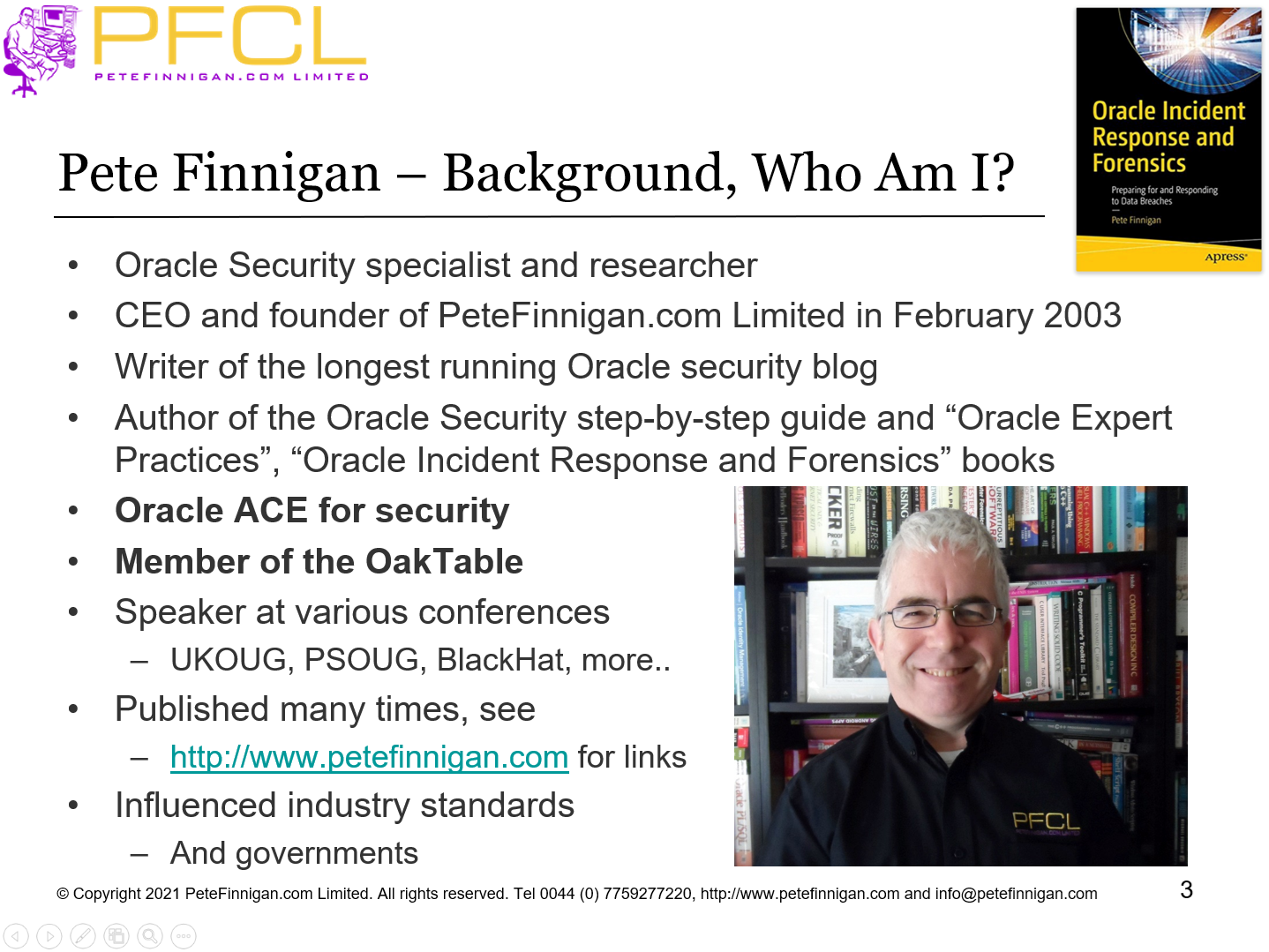
- Slide 3 - Background
-
Pete Finnigan – Background, Who Am I?
- Oracle Security specialist and researcher
- CEO and founder of PeteFinnigan.com Limited in February 2003
- Writer of the longest running Oracle security blog
- Author of the Oracle Security step-by-step guide and “Oracle Expert Practices”, “Oracle Incident Response and Forensics” books
- Oracle ACE for security
- Member of the OakTable, SYM 42
- Speaker at various conferences UKOUG, PSOUG, BlackHat, more..
- Published many times, see http://www.petefinnigan.com for links
- Slide 4 - Agenda
-
- Introduction
- Designing an audit trail
- The basics to include
- A default audit trail and hacking
- Implement some rules
- Hack again
- Slide 5 - Introduction
-
Introduction
- Slide 6 - History of the Audit Events, Toolkit and Talks
-
- In 2009 piece of work to help design audit trails
- Site had limited staff, little time to design, deploy, maintain any audit trails
- I came up with some simple ideas, proof of concepts – to package up audit trails for them; inc policy based audit, IPS and simple firewall
- They spent limited time to deploy a useful audit trail
- Similar piece of work in 2011 where limited team needed to deploy audit
- 2012 to 2015 extended the toolkit
- I wrote a presentation back in 2012 and presented it just once at a SIG on practical audit trails where I mentioned this toolkit for the first time
- This then became the basis of a one day class on the same subject
- Reworked that presentation in UKOUG 2015 conference
- Customer in 2016 needed an audit trail to deploy quickly
- Deployed now to customers in UK, Ireland and Germany
- The ideas of audit design came from these pieces of work and talks
- Slide 7 - Some People Think They Have Designed Audit
-
- I see sites with some audit settings
- This is not a WELL DESIGNED audit trail
- Usually these random set of parameters in the Oracle database will not catch a good range of events that could be an attack
- Some sites have application audit and OS audit
- BUT worse; lots of sites have no audit at the database engine level
- If there is a breach a lack of audit makes forensic response very difficult
- Slide 8 - Design
-
- Before we get started implementing
- Design must be the first step
- The final chosen solution implements the design
- Therefore until you know the design you cannot specify the right solution – right?
- The solution could be “free” or “commercial” solution or even a combination of both
- Often people buy third party products and implement out of the box with no internal requirements!
- Slide 9 - The Question
-
- What should I include in a basic audit trail?
- The answer must be useful information; to who?
- Should be well designed
- Should be structured
- Actually capture something?
- What? Attacks of course
- Well maybe abuse as well by workers
- Actions outside of authority
- Changes with no change
- Changes to security and audit
- Slide 10 - Designing an Audit Trail
-
Designing an Audit Trail
- Slide 11 - What Settings Should I Include In An Audit Trail
-
- I get asked this question regularly sometimes multiple times per week
- This is the cart before the horse
- Don’t just get peoples tips and tricks and use them
- Design the audit for yourself
- Don’t just turn on “some settings” from one document or another such as CIS
- These are not designed by you or for you or for your application or deployment
- Slide 12 - The Purpose of the (your) Audit Trail
-
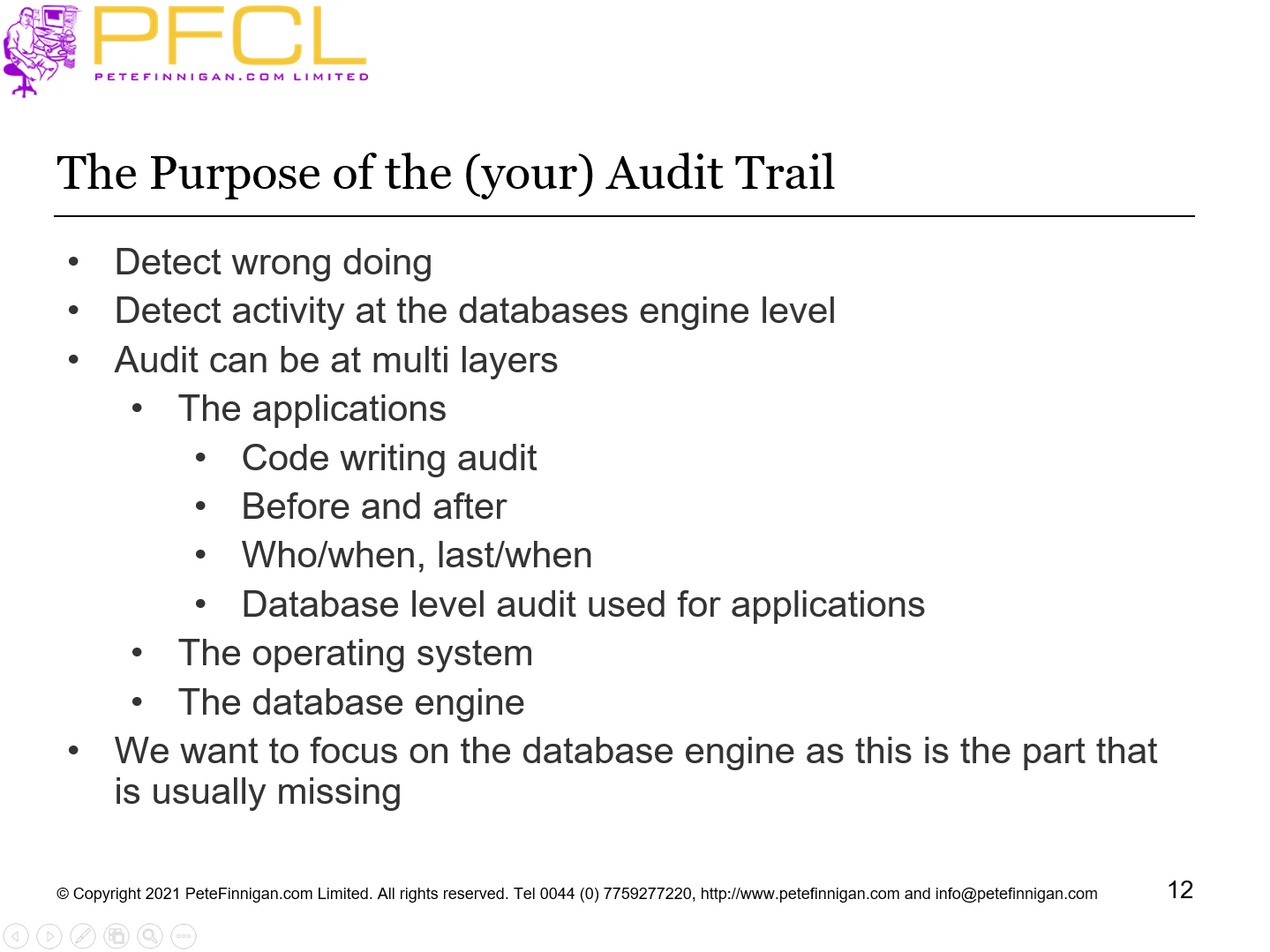
- Detect wrong doing
- Detect activity at the databases engine level
- Audit can be at multi layers
- The applications
- Code writing audit
- Before and after
- Who/when, last/when
- Database level audit used for applications
- The operating system
- The database engine
- We want to focus on the database engine as this is the part that is usually missing
- Slide 13 - Who Are We Satisfying?
-
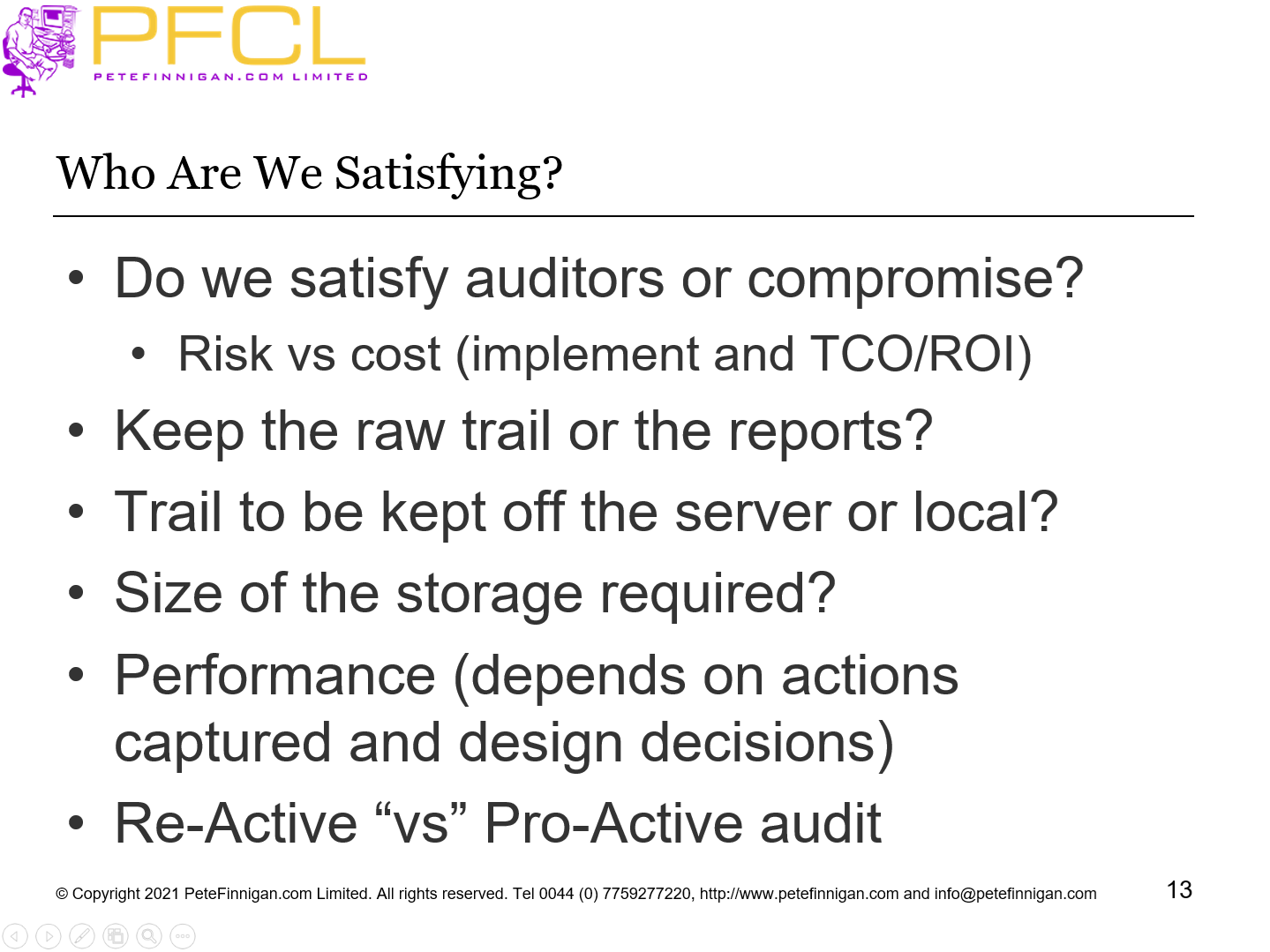
- Do we satisfy auditors or compromise?
- Risk vs cost (implement and TCO/ROI)
- Keep the raw trail or the reports?
- Trail to be kept off the server or local?
- Size of the storage required?
- Performance (depends on actions captured and design decisions)
- Re-Active “vs” Pro-Active audit
- Slide 14 - What Do I Want to Know?
-
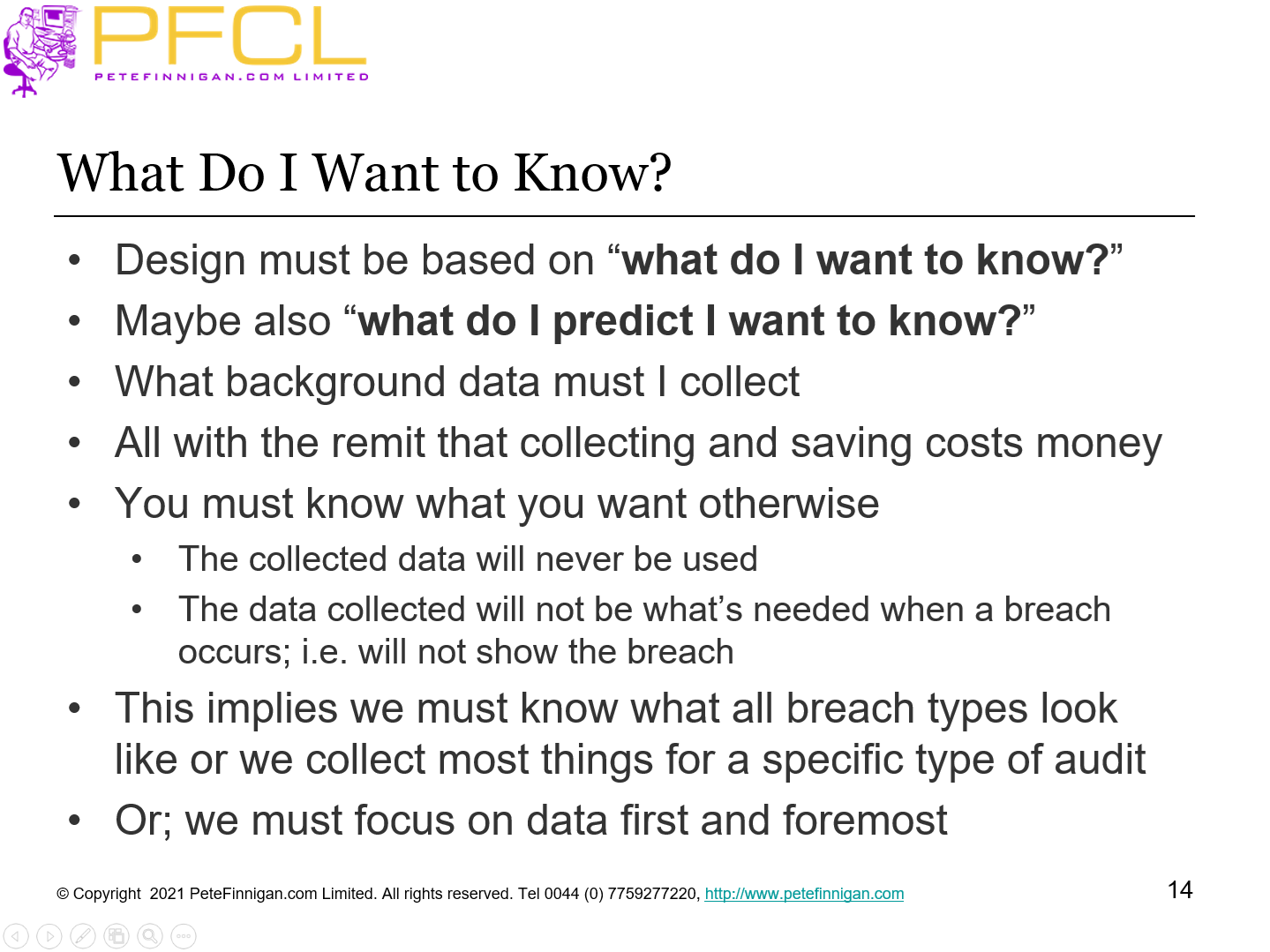
- Design must be based on “what do I want to know?”
- Maybe also “what do I predict I want to know?”
- What background data must I collect
- All with the remit that collecting and saving costs money
- You must know what you want otherwise
- The collected data will never be used
- The data collected will not be what’s needed when a breach occurs; i.e. will not show the breach
- This implies we must know what all breach types look like or we collect most things for a specific type of audit
- Or; we must focus on data first and foremost
- Slide 15 - What Do I Want To Know (2)
-
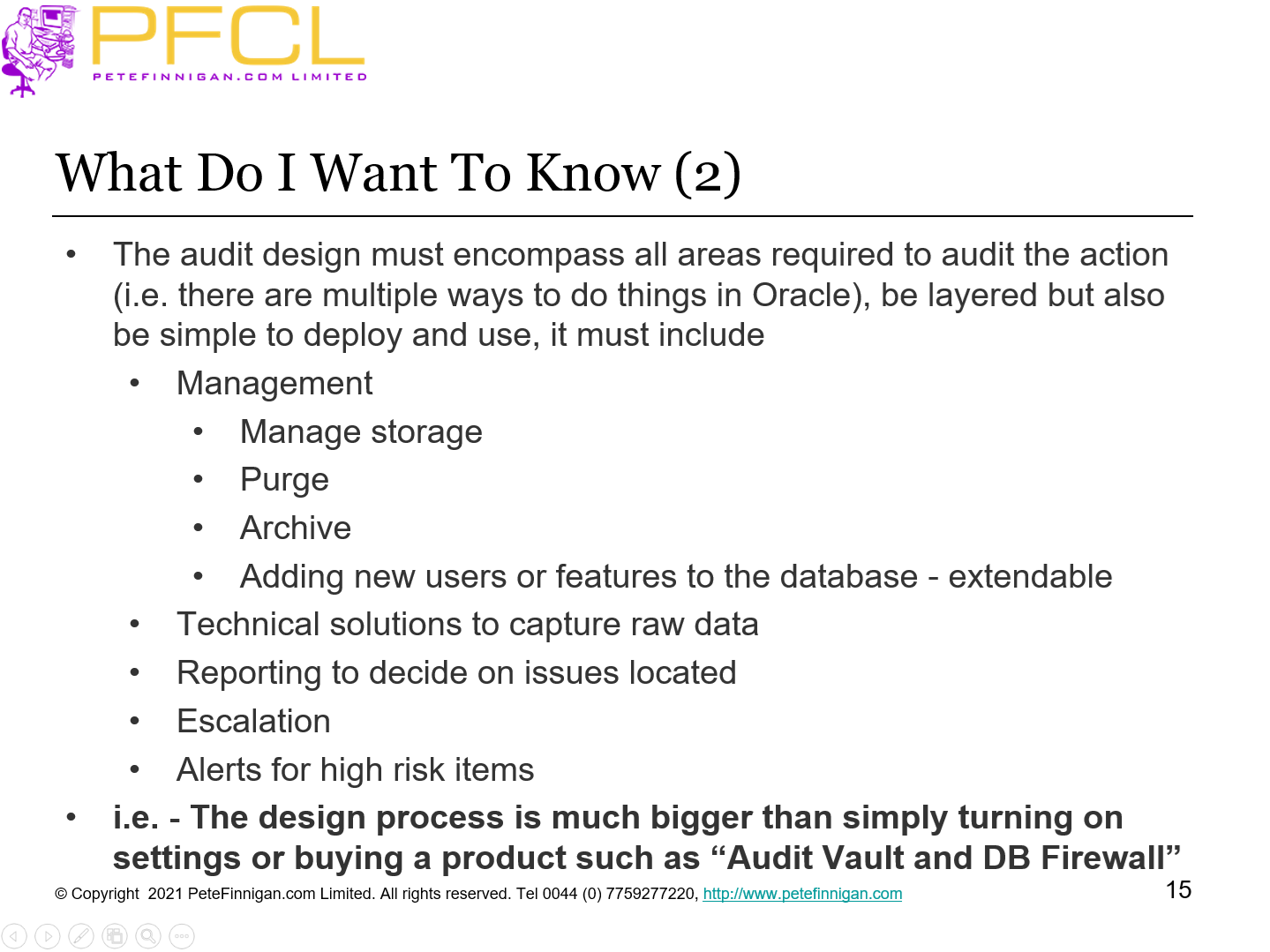
- The audit design must encompass all areas required to audit the action (i.e. there are multiple ways to do things in Oracle), be layered but also be simple to deploy and use, it must include
- Management
- Manage storage
- Purge
- Archive
- Adding new users or features to the database - extendable
- Technical solutions to capture raw data
- Reporting to decide on issues located
- Escalation
- Alerts for high risk items
- i.e. - The design process is much bigger than simply turning on settings or buying a product such as “Audit Vault and DB Firewall”
- Slide 16 - Re-Active Audit
-
- What do we mean?
- We use the audit trail as an historic representation of what happened in the database or with the data
- We keep this audit trail “just in-case” an attack has occurred so that we can investigate retrospectively
- The problem is that we do not know the type of attack in advance, often the audit storage is driven by regulatory requirements or legal requirements.
- Often this type of audit will not be useful for database inc incident and forensic investigation but is required for specific log data storage and use only
- Slide 17 - Pro-Active Audit
-
- What do we mean?
- We use the audit trail to let us know in real time or semi-real time if an attack against our database or data is in progress
- We use that audit data to “take action” by raising alerts, escalation of the issue detected, regular reporting
- This type of audit if often based on actual attack scenarios
- We know what we want to detect before it happens
- If something different occurs then we may or may not detect it
- Both audit types (reactive/pro-active) can be combined
- Slide 18 - Create Audit Events
-
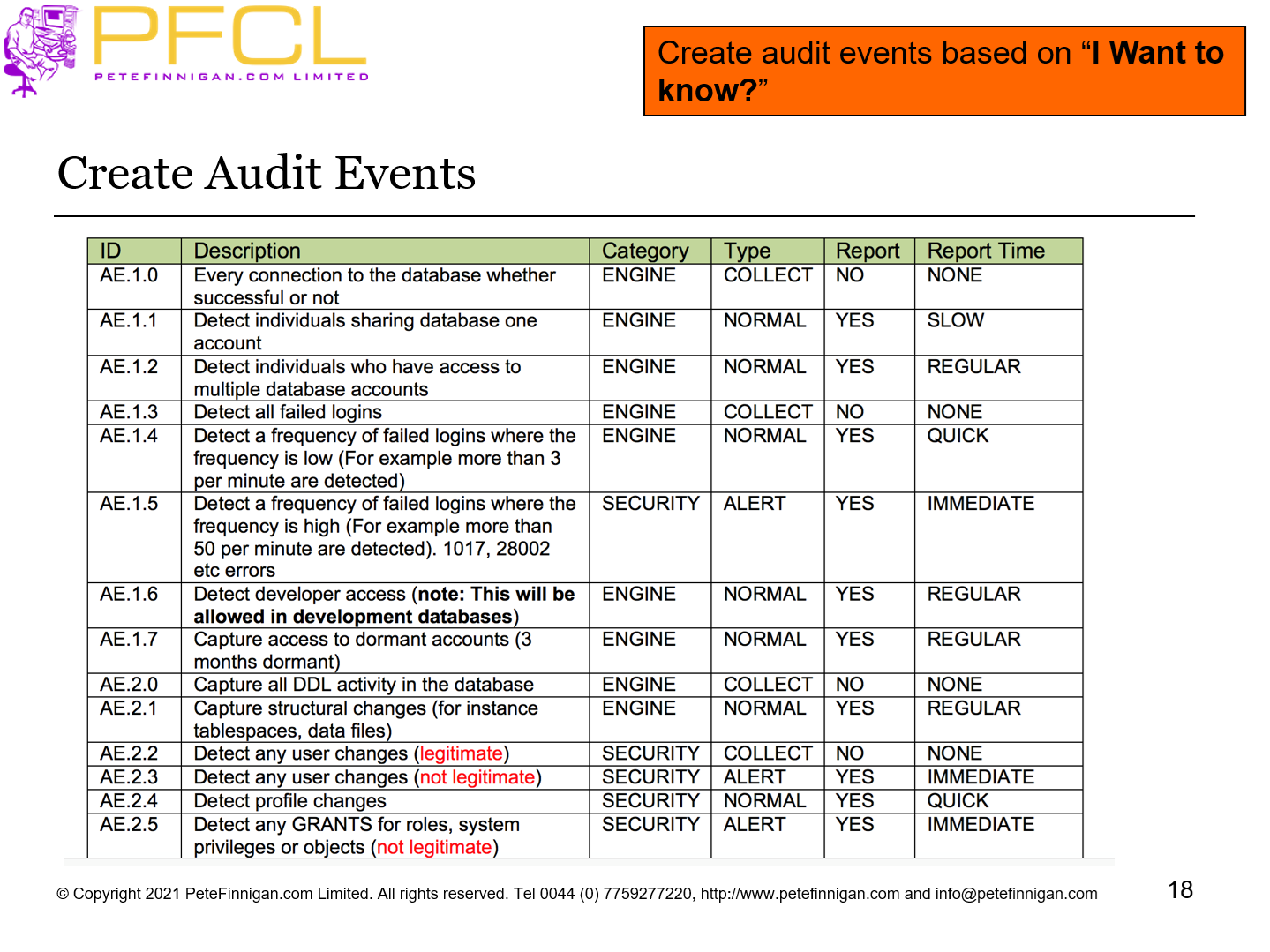
Create audit events based on “I Want to know?”
- Slide 19 - Build On The Audit Events
-
- Work backwards from the events to decide what raw audit to collect
- Then how to work out if event has occurred
- Then how to report
- Then how to alert
- Then how to escalate
- When you have this “table” decide on the technical solution that can be implemented and deployed
- Slide 20 - The Basics to Include
-
The Basics to Include
- Slide 21 - What To Audit (1) – Technical Level
-
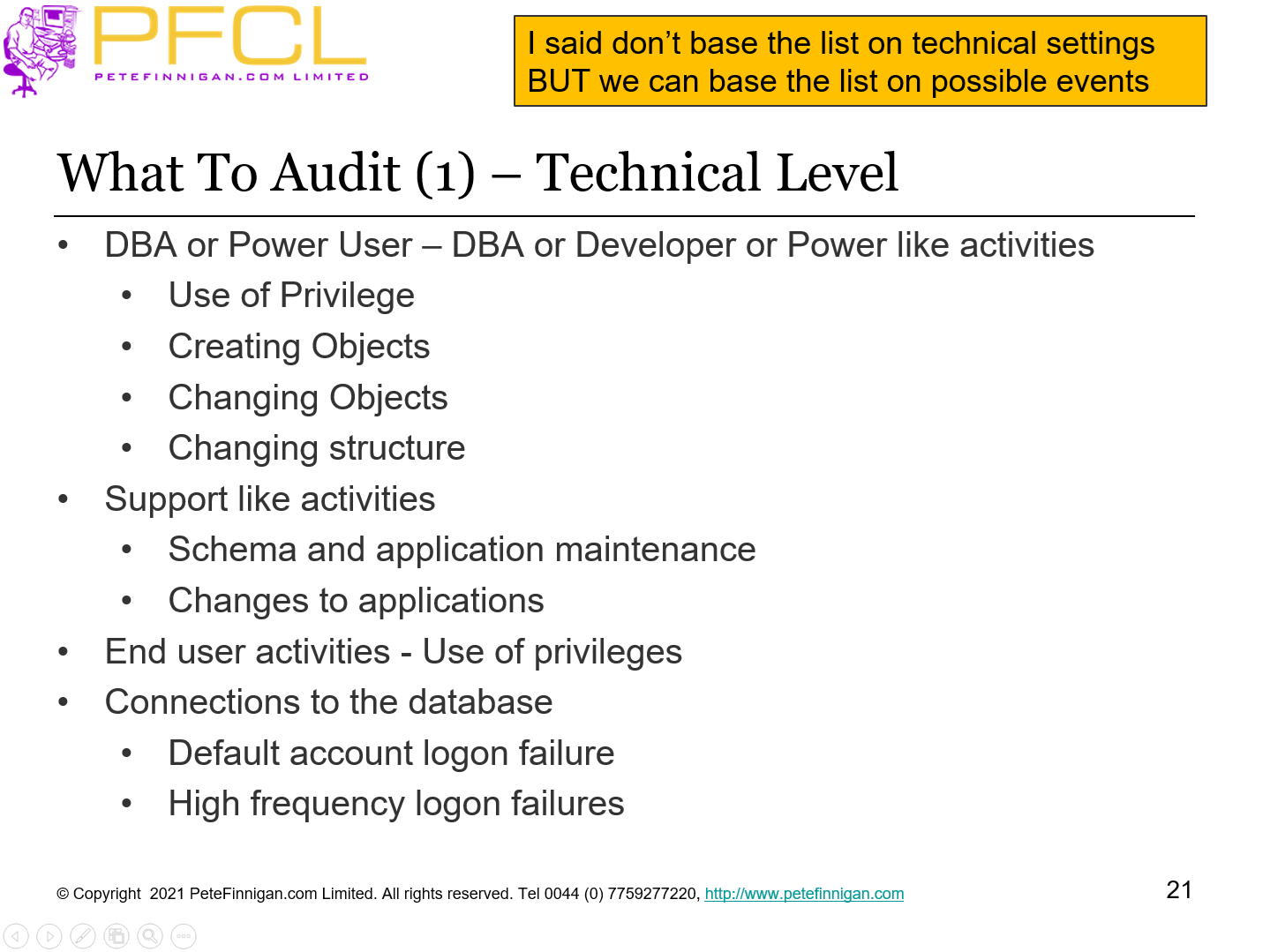
- DBA or Power User – DBA or Developer or Power like activities
- Use of Privilege
- Creating Objects
- Changing Objects
- Changing structure
- Support like activities
- Schema and application maintenance
- Changes to applications
- End user activities - Use of privileges
- Connections to the database
- Default account logon failure
- High frequency logon failures
I said don’t base the list on technical settings BUT we can base the list on possible events
- Slide 22 - What To Audit (2) – Technical Level
-
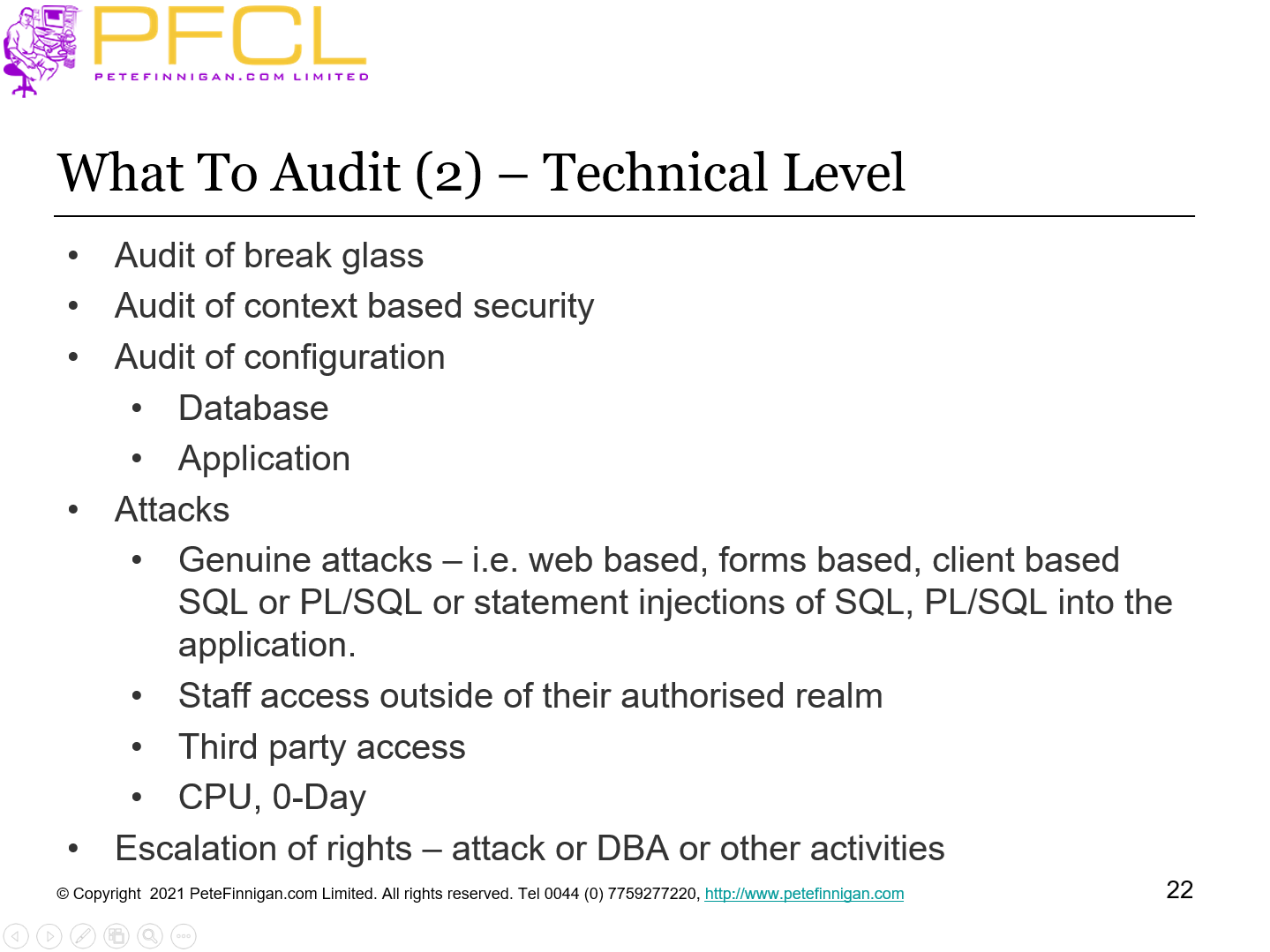
- Audit of break glass
- Audit of context based security
- Audit of configuration
- Database
- Application
- Attacks
- Genuine attacks – i.e. web based, forms based, client based SQL or PL/SQL or statement injections of SQL, PL/SQL into the application.
- Staff access outside of their authorised realm
- Third party access
- CPU, 0-Day
- Escalation of rights – attack or DBA or other activities
- Slide 23 - Default Audit Trail and Hacking
-
Default Audit Trail and Hacking
- Slide 24 - My Sample Application Architecture
-
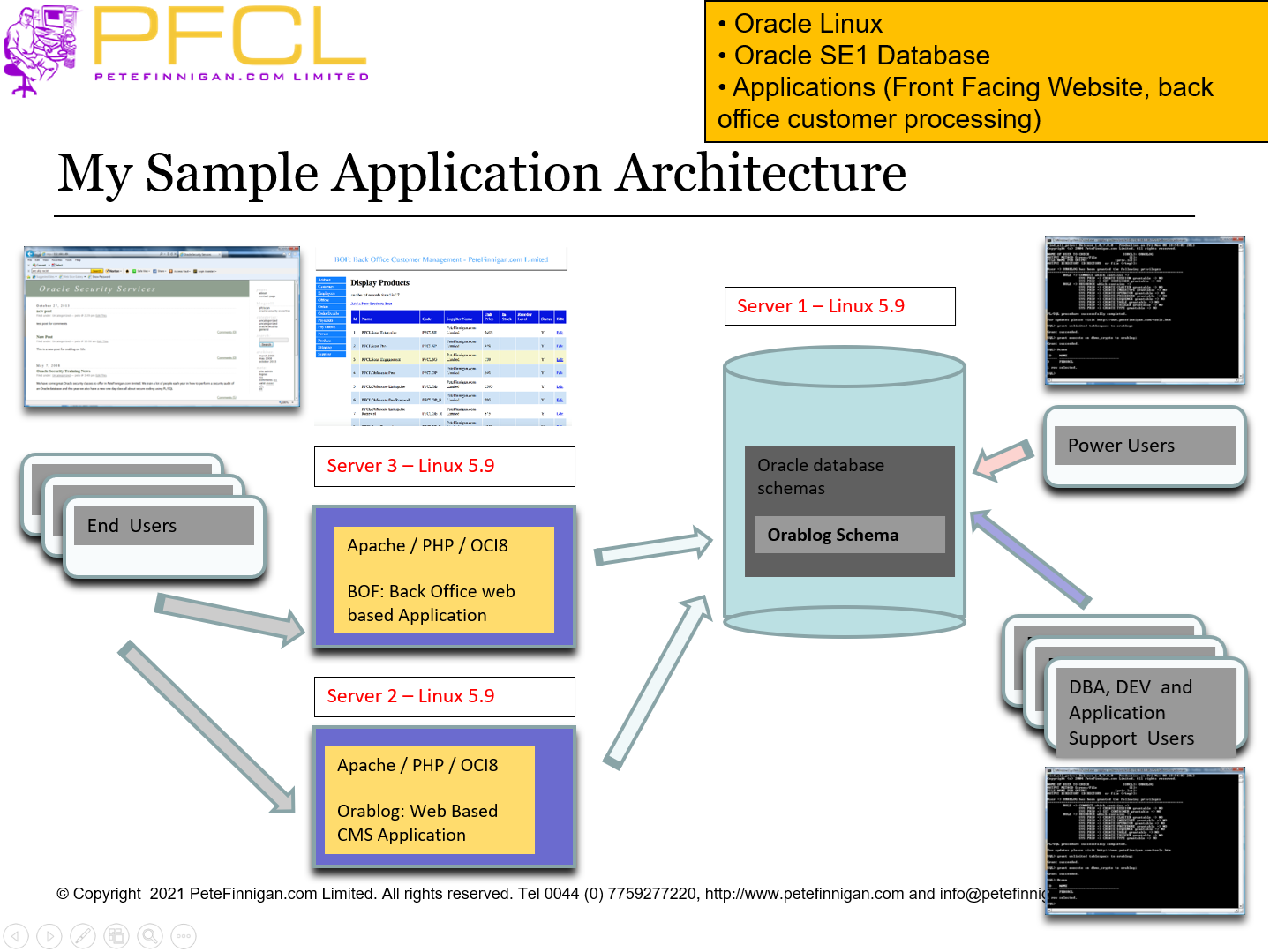
- Oracle Linux
- Oracle SE1 Database
- Applications (Front Facing Website, back office customer processing)
- Slide 25 - Some of the Hacks
-
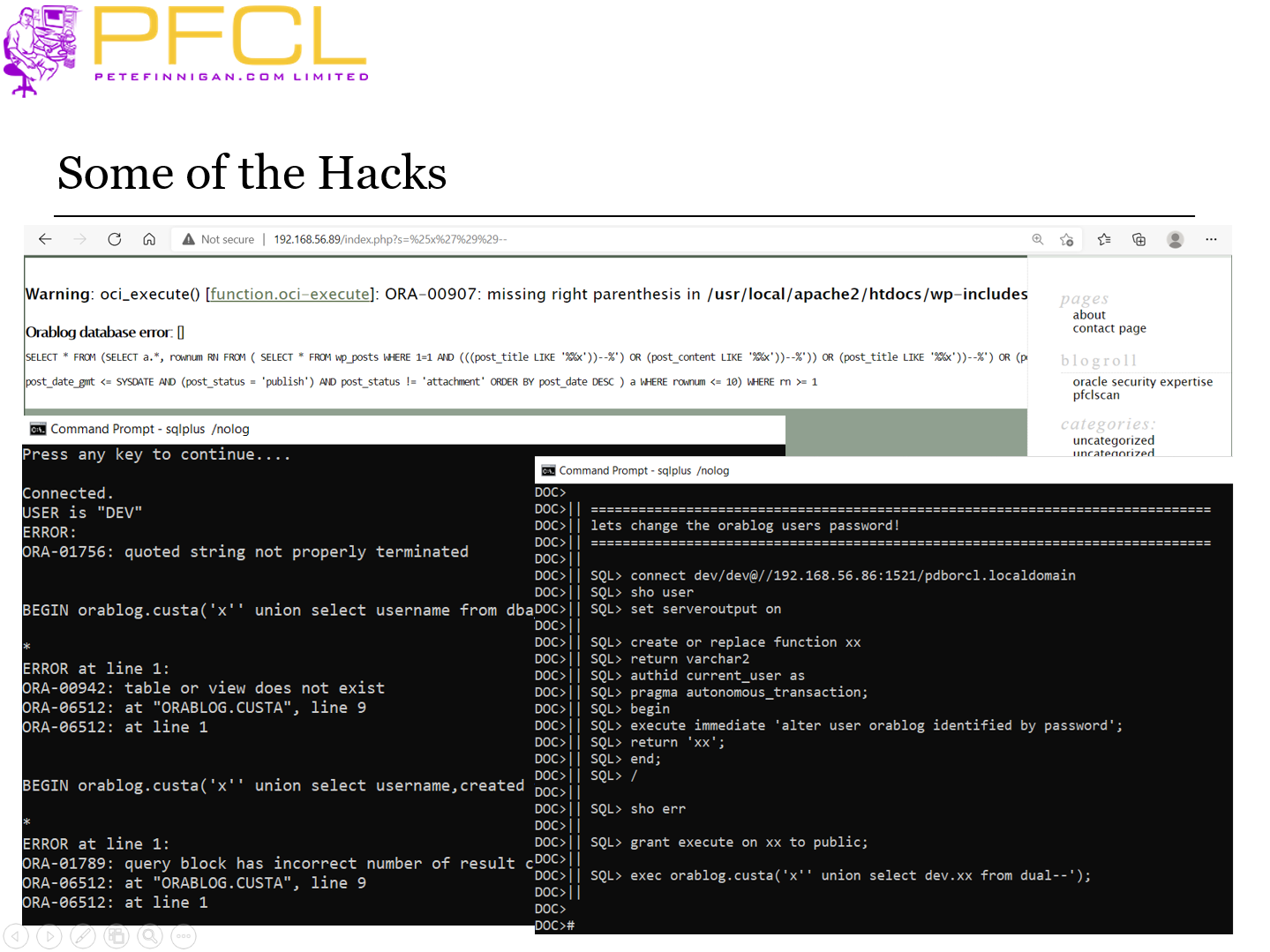
Some of the Hacks
- Slide 26 - Conclusions From The Hacks
-
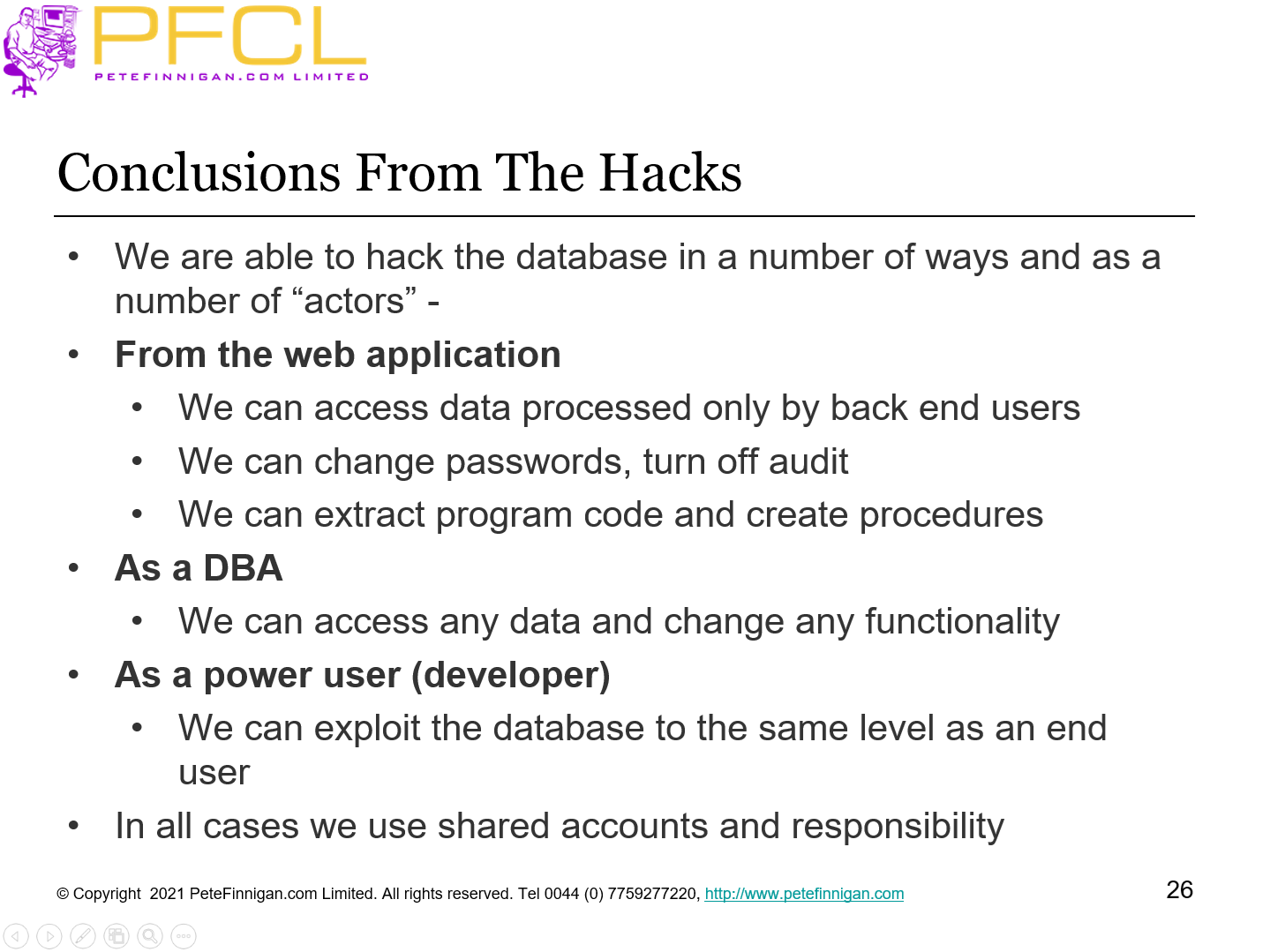
- We are able to hack the database in a number of ways and as a number of “actors” -
- From the web application
- We can access data processed only by back end users
- We can change passwords, turn off audit
- We can extract program code and create procedures
- As a DBA
- We can access any data and change any functionality
- As a power user (developer)
- We can exploit the database to the same level as an end user
- In all cases we use shared accounts and responsibility
- Slide 27 - Audit Report – AUD$
-
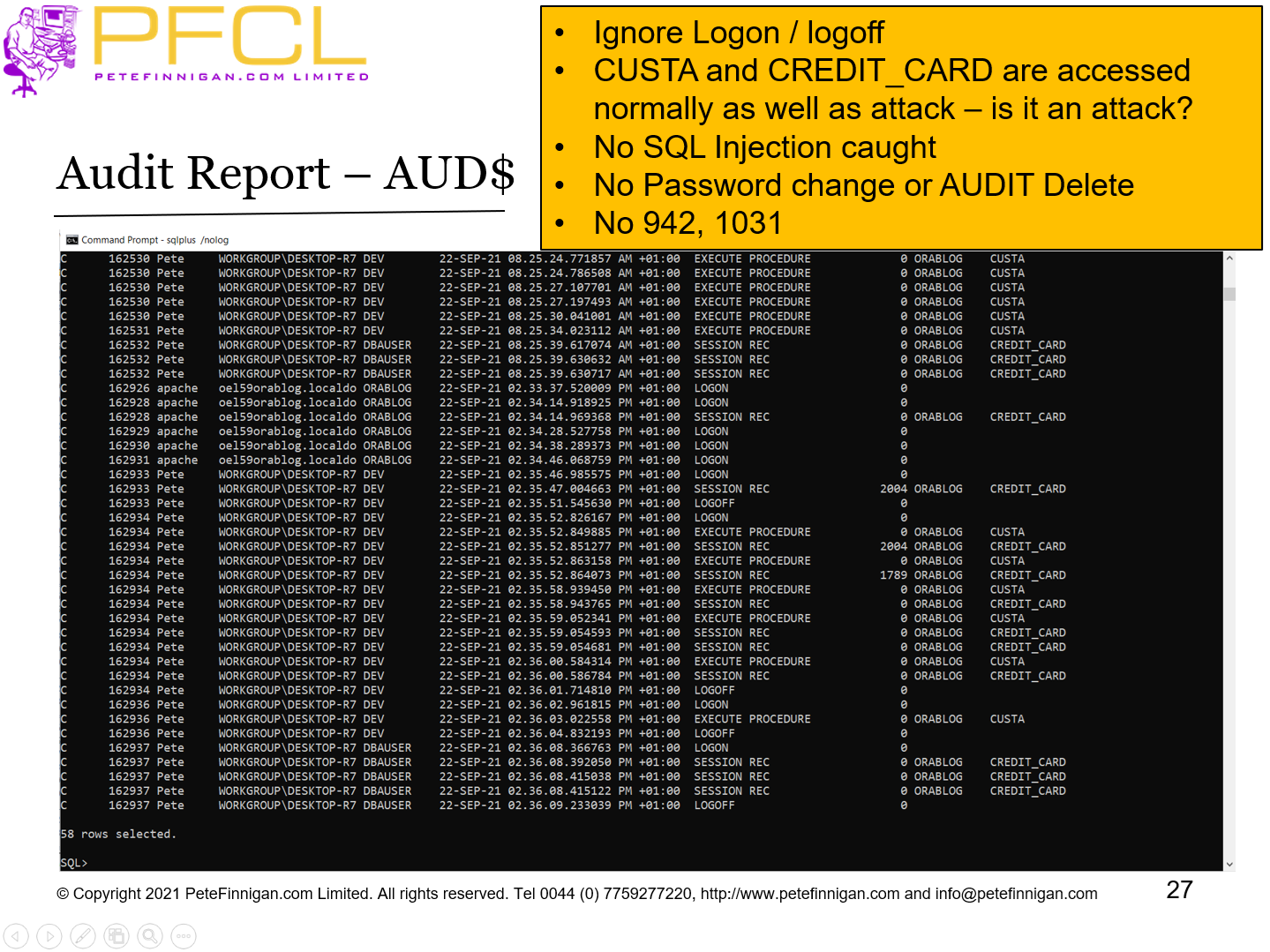
- Ignore Logon / logoff
- CUSTA and CREDIT_CARD are accessed normally as well as attack – is it an attack?
- No SQL Injection caught
- No Password change or AUDIT Delete
- No 942, 1031
- Slide 28 - Implement an Example Audit Trail
-
Implement an Example Audit Trail
- Slide 29 - PFCLATK Block Overview
-
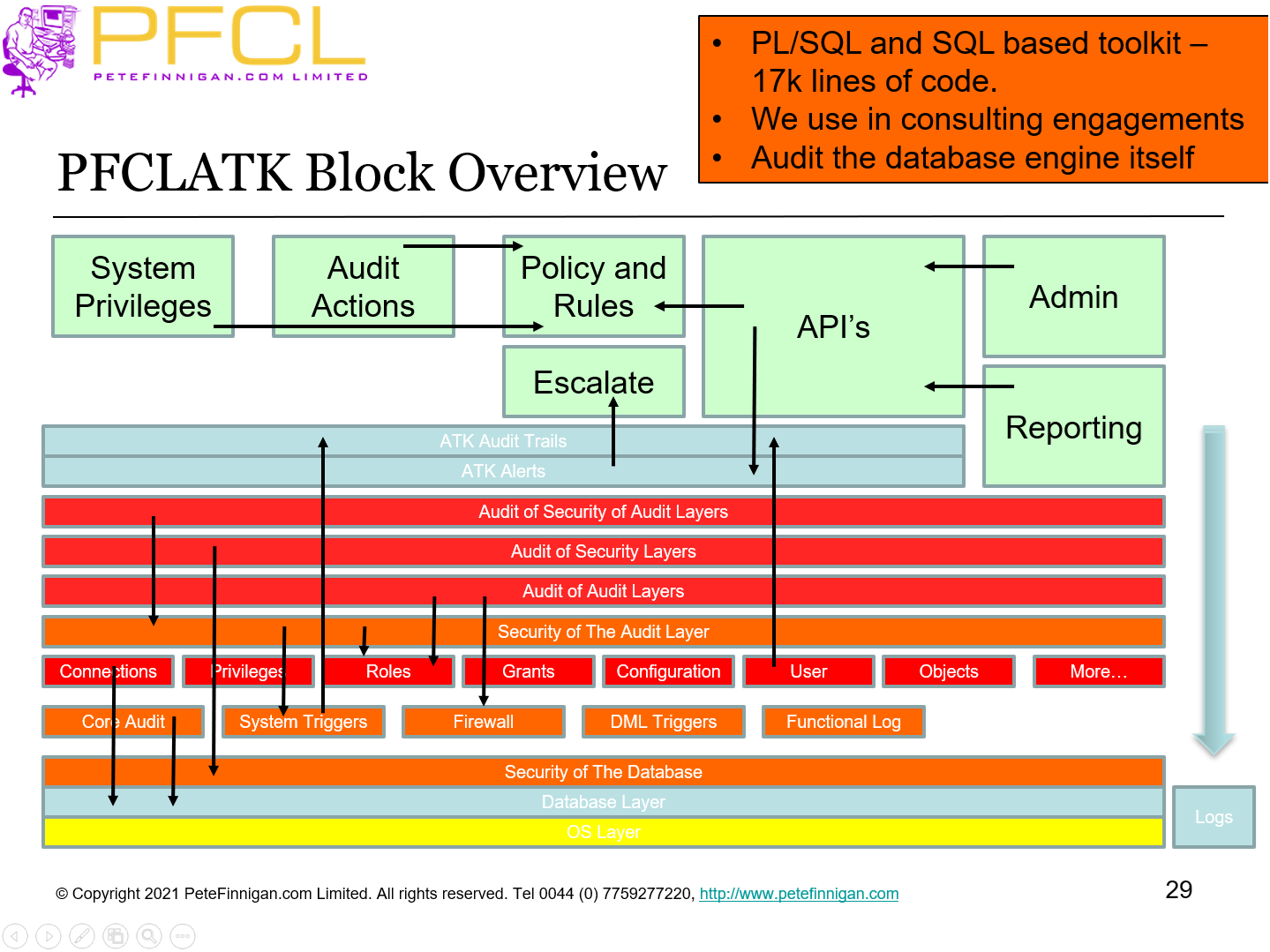
- PL/SQL and SQL based toolkit – 17k lines of code.
- We use in consulting engagements
- Audit the database engine itself
- Slide 30 - PFCLATK Architecture
-
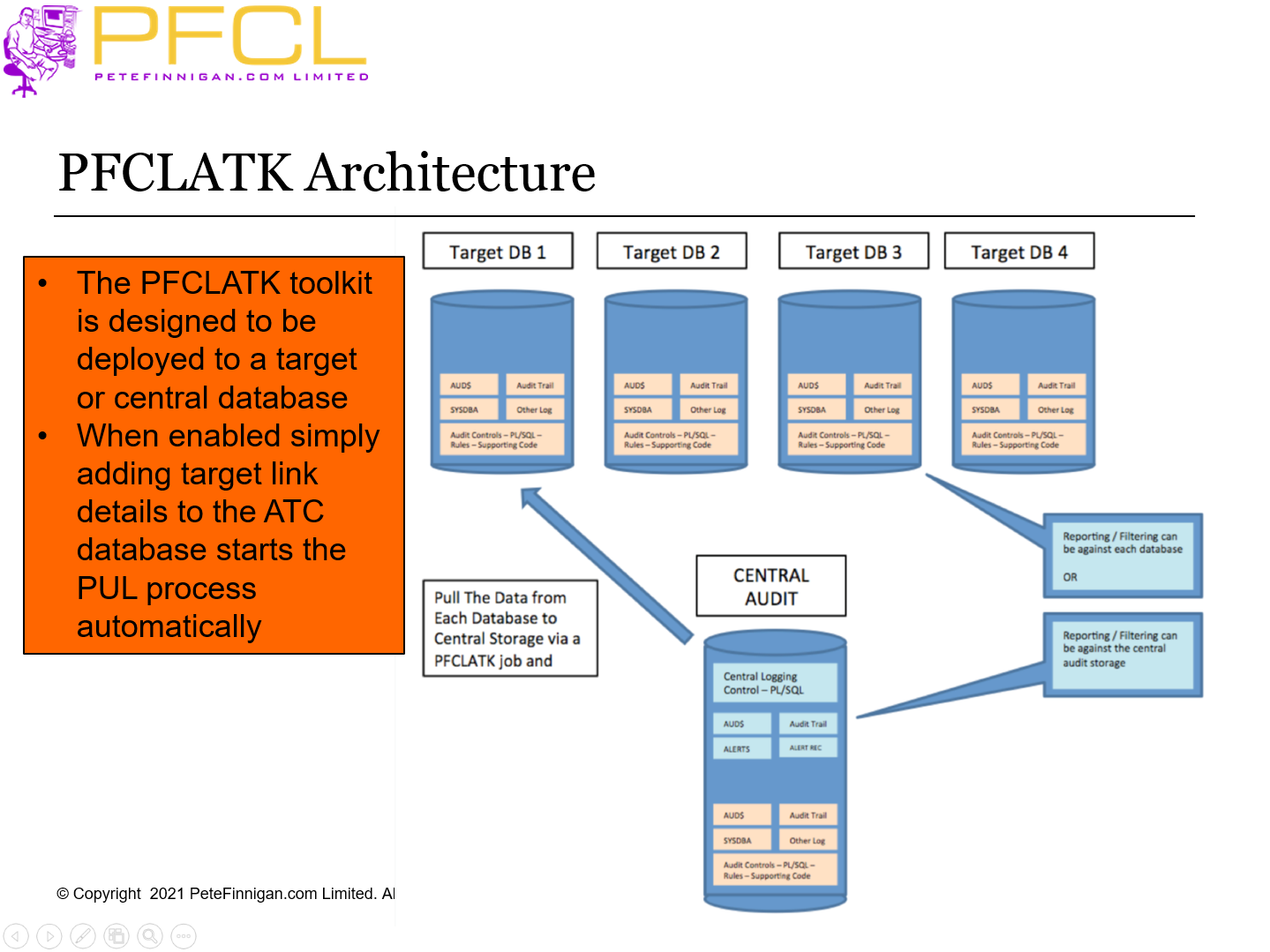
- The PFCLATK toolkit is designed to be deployed to a target or central database
- When enabled simply adding target link details to the ATC database starts the PUL process automatically
- Slide 31 - Policies I Will Implement
-
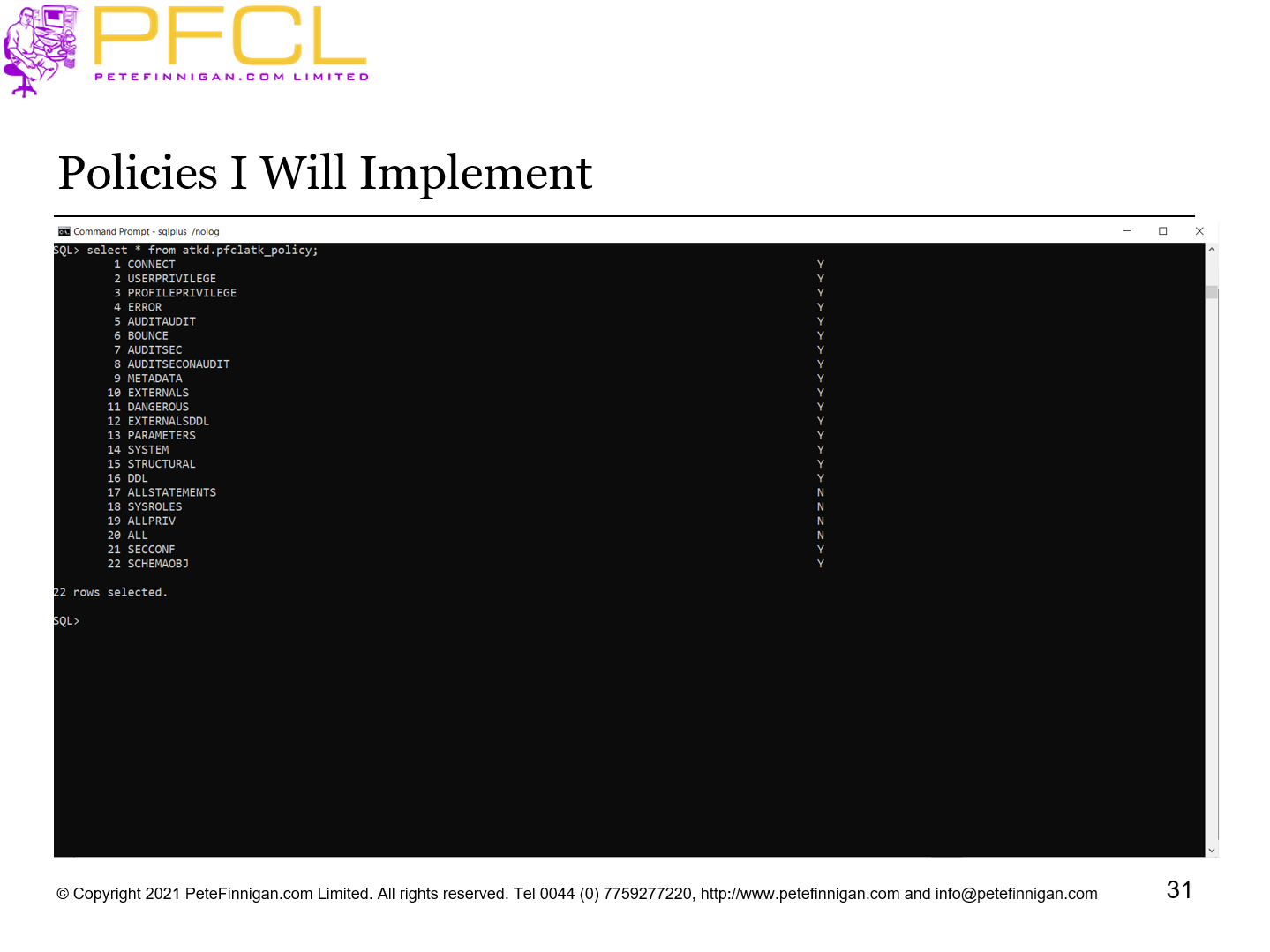
Policies I Will Implement
- Slide 32 - Configure and Deploy
-
- Edit atk.sql
- Edit required settings needed for the toolkit
- Edit conf.sql
- Add connection details
- Demo deployment
- Run atk.sql
Demo: Configure and deploy
- Slide 33 - Install the Audit Events and Toolkit
-
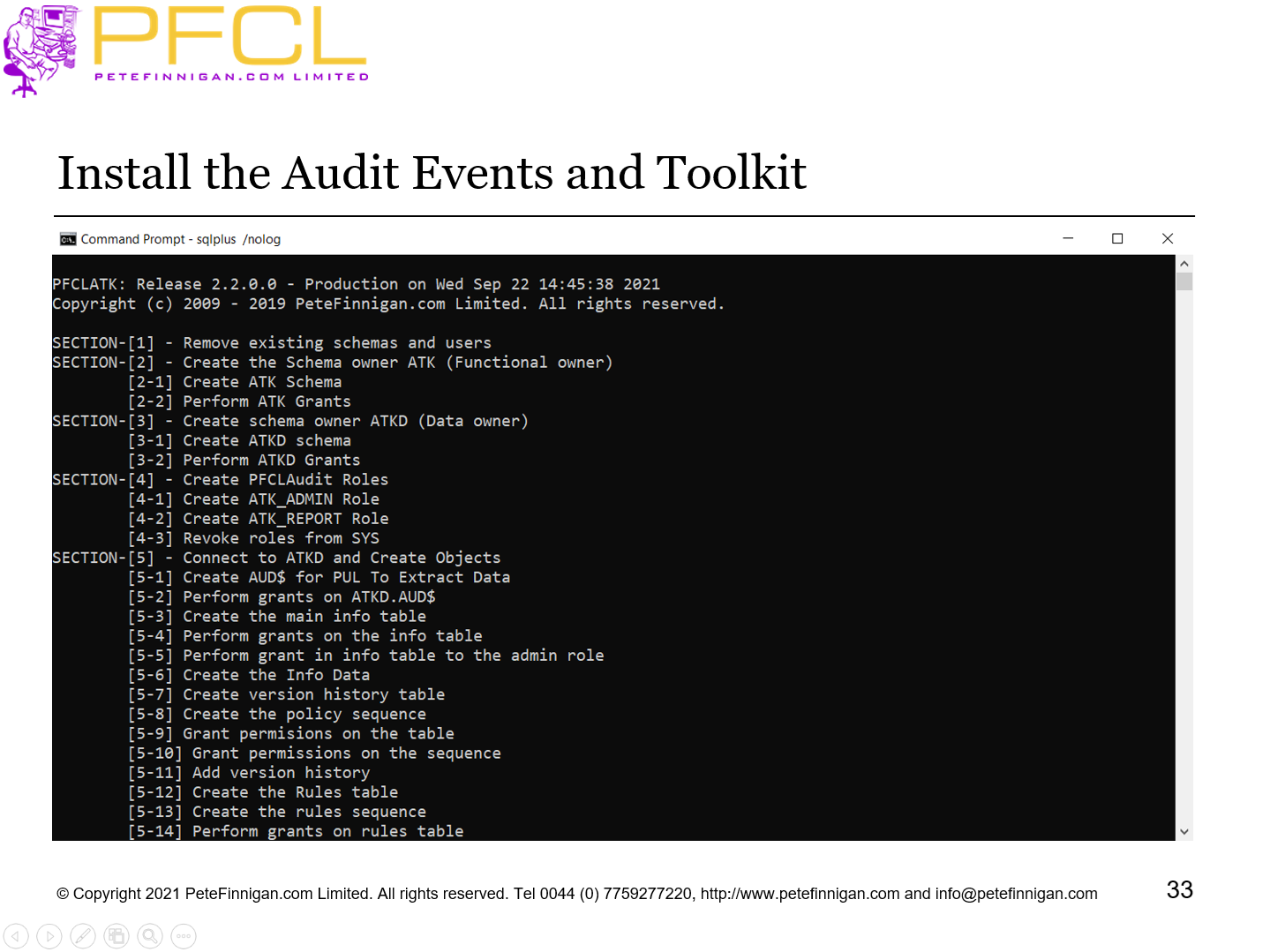
Install the Audit Events and Toolkit
- Slide 34 - Hacking Again
-
Hacking Again
- Slide 35 - Some of the Hacks
-
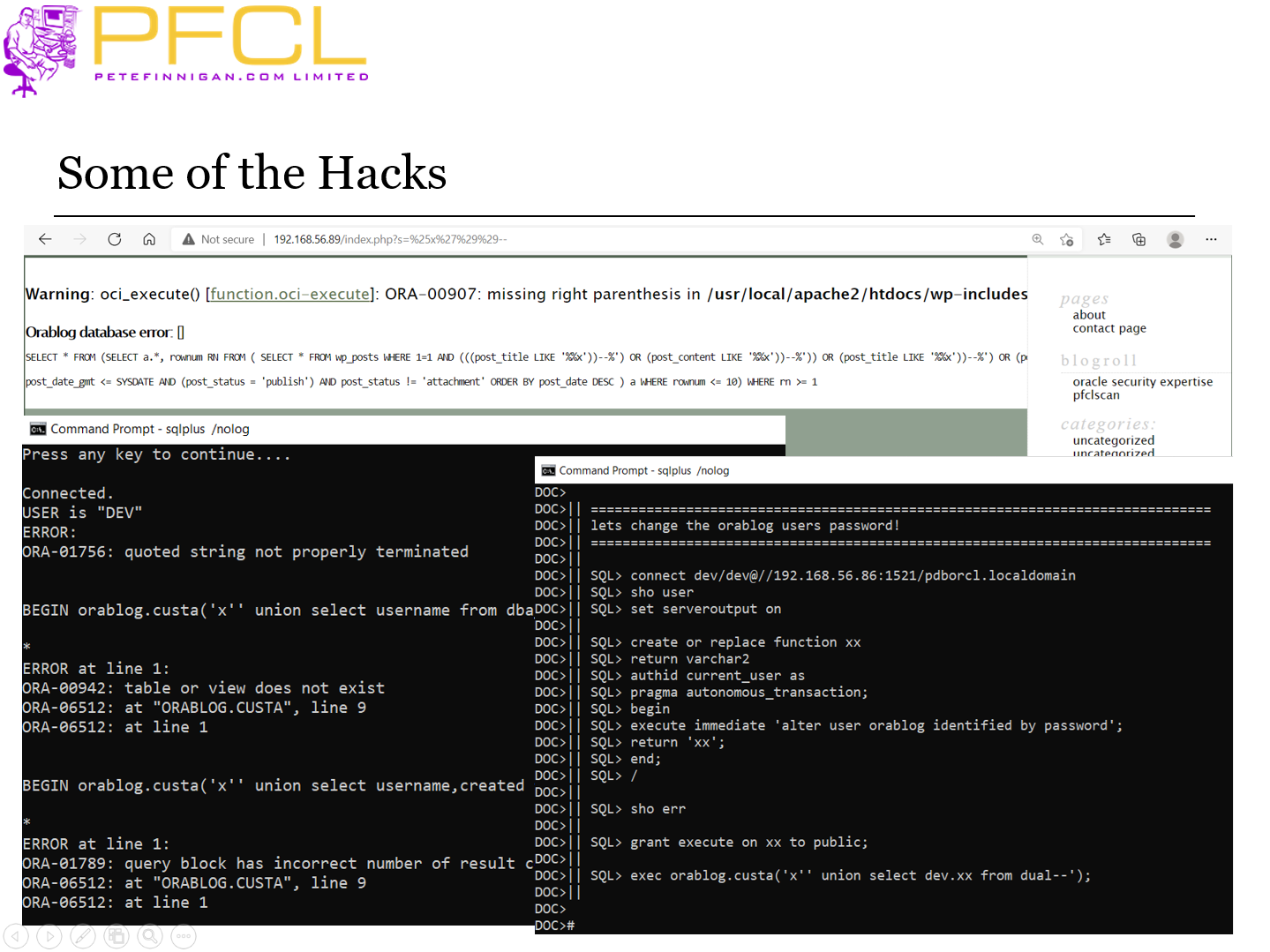
Some of the Hacks
- Slide 36 - Audit Report - New
-
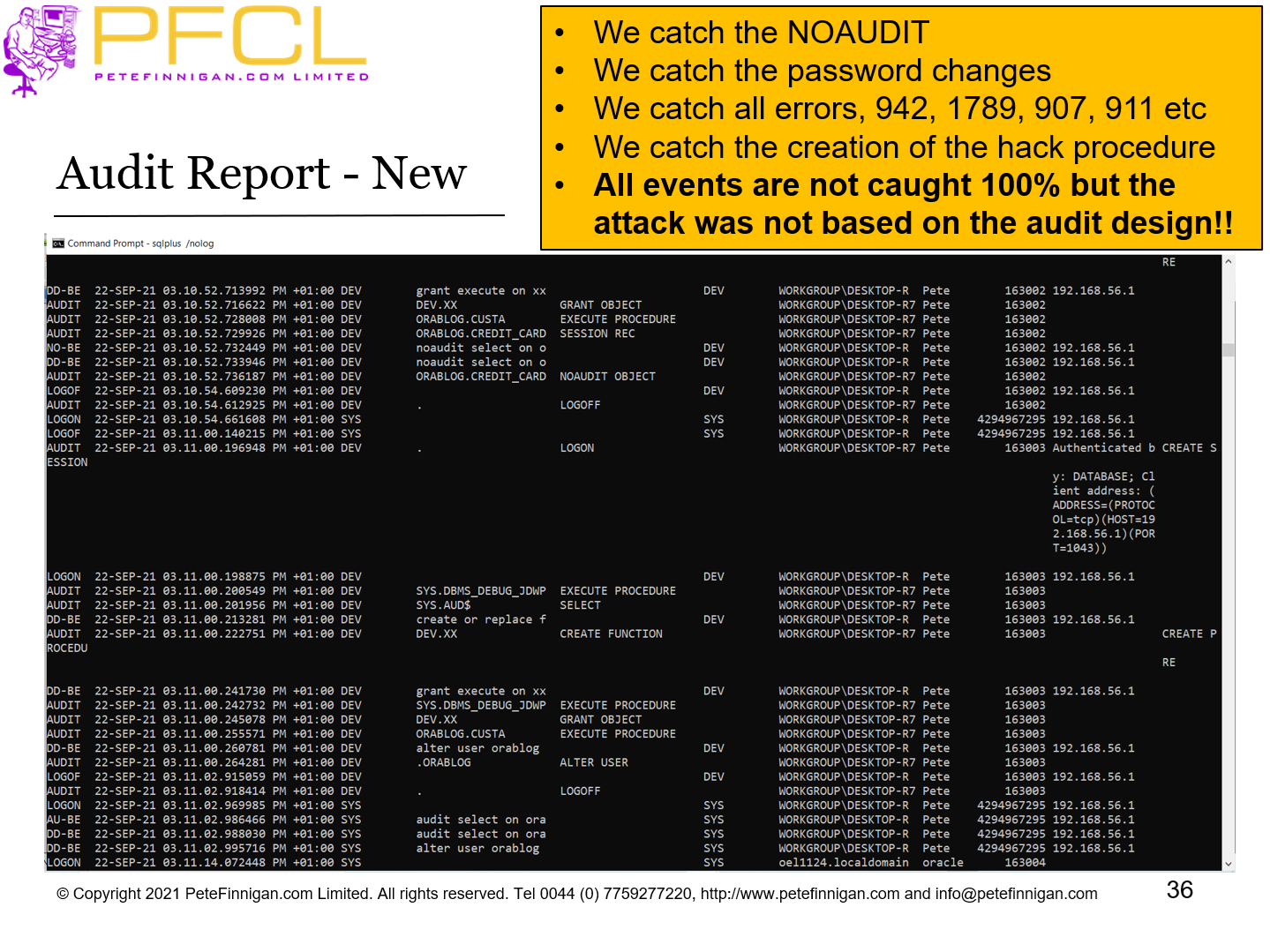
- We catch the NOAUDIT
- We catch the password changes
- We catch all errors, 942, 1789, 907, 911 etc
- We catch the creation of the hack procedure
- All events are not caught 100% but the attack was not based on the audit design!!
- Slide 37 - Conclusions
-
- Design first
- Create the events
- Decide what technical solution to use
- Decide what raw audit to collect
- Decide how to detect that an audit event occurred
- Audit the database engine
- Slide 38 - Designing a Good Database Audit Trail
-
Designing a Good Database Audit Trail