


Oracle Incident Response and Forensics
This is my presentation to the UKOUG last December on Oracle Incident Response and Forensics.
- Slide 1 - Oracle Incident Response and Forensics
-
What to do first, next and last
- Slide 2 - Legal notice
-
Oracle Incident Response and Forensics
Published by
PeteFinnigan.com Limited
Tower Court
3 Oakdale Road
York
England, YO30 4XL
Copyright © 2025 by PeteFinnigan.com Limited
No part of this publication may be stored in a retrieval system, reproduced or transmitted in any form by any means, electronic, mechanical, photocopying, scanning, recording, or otherwise except as permitted by local statutory law, without the prior written permission of the publisher. In particular this material may not be used to provide training of any type or method. This material may not be translated into any other language or used in any translated form to provide training. Requests for permission should be addressed to the above registered address of PeteFinnigan.com Limited in writing.
Limit of Liability / Disclaimer of warranty. This information contained in this course and this material is distributed on an “as-is” basis without warranty. Whilst every precaution has been taken in the preparation of this material, neither the author nor the publisher shall have any liability to any person or entity with respect to any loss or damage caused or alleged to be caused directly or indirectly by the instructions or guidance contained within this course.
TradeMarks. Many of the designations used by manufacturers and resellers to distinguish their products are claimed as trademarks. Linux is a trademark of Linus Torvalds, Oracle is a trademark of Oracle Corporation. All other trademarks are the property of their respective owners. All other product names or services identified throughout the course material are used in an editorial fashion only and for the benefit of such companies with no intention of infringement of the trademark. No such use, or the use of any trade name, is intended to convey endorsement or other affiliation with this course.
- Slide 3 - Background
-
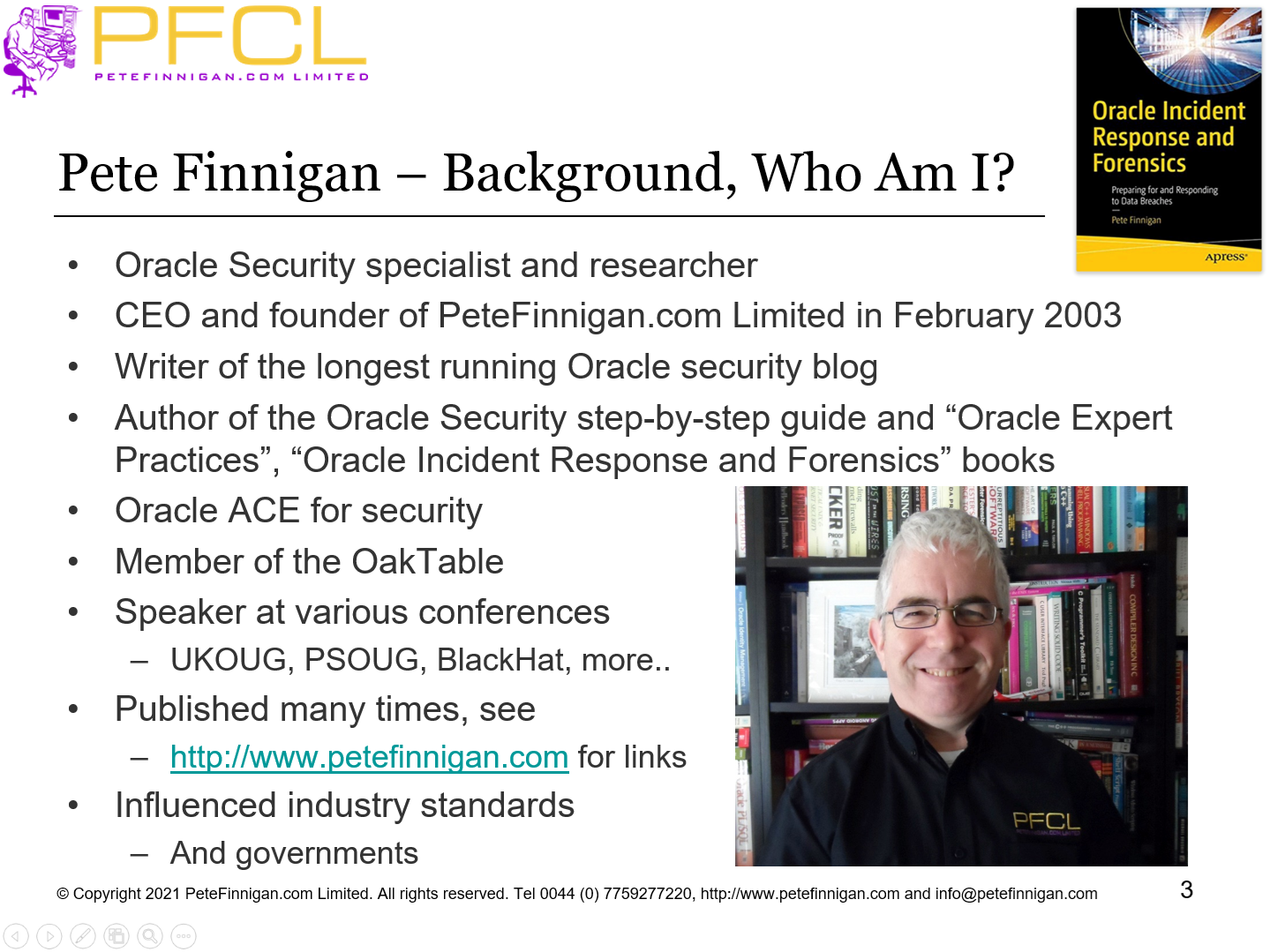
Pete Finnigan – Background, Who Am I?
- Oracle Security specialist and researcher
- CEO and founder of PeteFinnigan.com Limited in February 2003
- Writer of the longest running Oracle security blog
- Author of the Oracle Security step-by-step guide and “Oracle Expert Practices”, “Oracle Incident Response and Forensics” books
- Oracle ACE for security
- Member of the OakTable, SYM 42
- Speaker at various conferences UKOUG, PSOUG, BlackHat, more..
- Published many times, see http://www.petefinnigan.com for links
- Slide 4 - Agenda
-
- Oracle database incident
- Incident response approach
- Live response
- Forensic analysis
- Example of issues
- What to do next?
- Slide 5 - Oracle Database Incident
-
Oracle Database Incident
- Slide 6 - What is an Oracle Database Incident?
-
- This is something that is not normal and was not planned
- This could be:
- Evidence that data is lost (it is on Facebook!)
- A change to the audit trails or settings
- A change to database security settings
- An indication that an attack may be imminent (chatter?)
- An indication that an attack is in progress (strange audit or excessive activity?)
- A change that does not match any authorised change control or release mechanism
- Slide 7 - Incident Response Process
-
Incident Response Process
- Slide 8 - Appoint and Incident Co-ordinator
-
- An incident co-ordinator should be identified in advance
- The person should:
- Be outside of of the normal business processing of the target database system
- Be outside of the DBA team
- Be a security professional but this is not mandatory
- Take the lead in ensuring all steps are taken during a potential incident
- This is a management role and the lead / co-ordinator and the incident leader should be neutral and not necessarily need to understand the technical elements
- Slide 9 - Incident Response Process (1)
-
- In the event of an alert the incident response / resolution process must be worked through completely
- This process includes:
- Recognise that an alert has occurred (email received)
- Identify and appoint the incident response leader
- Control passes to the incident response leader
- Do not shut down the database or disconnect it from the network (at this stage)
- Investigate if the attack is real
- Perform incident response (collect live data)
- Break the network connection to the database
- Slide 10 - Incident Response Process – cont’d (2)
-
- Perform forensic analysis of the live data collected
- Shutdown the database if possible
- Perform static analysis
- Offline OR
- On a copy OR
- Live analysis of the same system if necessary (size)
- Correct or restore the database
- Document and report the issue
- Note: Include other elements (OS, web access, clients, more if available)
- Create a timeline of all events
One of the biggest issues in analyzing an Oracle database is the more you look, the more it changes the database
- Slide 11 - Incident Response Process – cont’d (3)
-
- We should aim for a number of things in the investigation:
- Did an attack actually occur?
- How did the attacker gain access?
- Who did the attacker gain access as?
- What was the “reach” of his access?
- What could he have done if he had more skills!
- The investigation should not change the database
- Can the evidence extracted be trusted or verified?
- Slide 12 - Live Response
-
Live Response
- Slide 13 - What is Live Response?
-
- This is the process to collect potential evidence to answer
- Was there a breach?
- How, who, when, where did it occur?
- Collect all the possible data from the breached database, server, application servers and clients where necessary
- Collect transient data first from each target
- Collect less transient data from each target
- Do this with little interference on the database
- Checksum the data collected
- Slide 14 - Are There Any Tools?
-
- Commercial
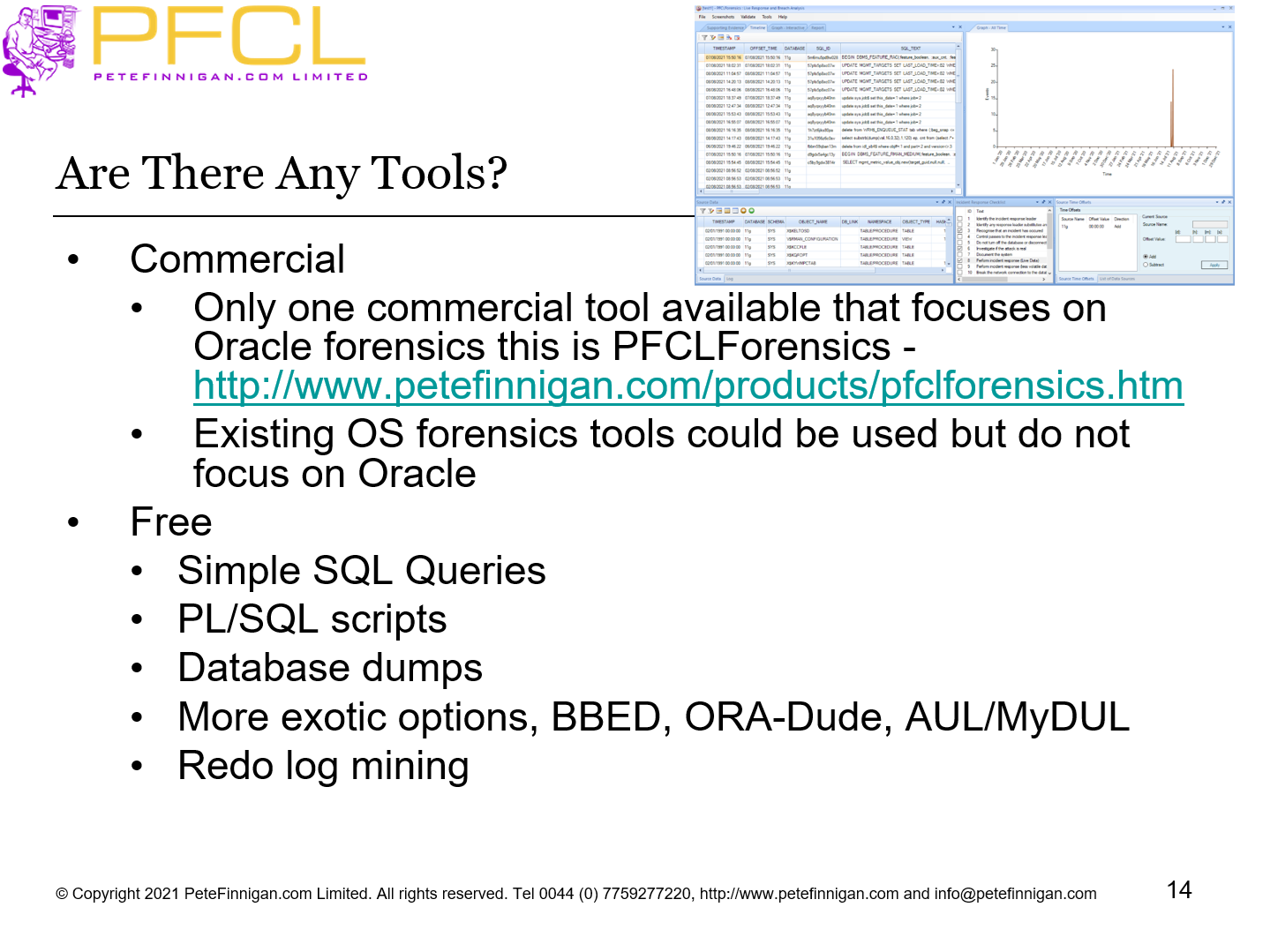
- Only one commercial tool available that focuses on Oracle forensics this is PFCLForensics - http://www.petefinnigan.com/products/pfclforensics.htm
- Existing OS forensics tools could be used but do not focus on Oracle
- Free
- Simple SQL Queries
- PL/SQL scripts
- Database dumps
- More exotic options, BBED, ORA-Dude, AUL/MyDUL
- Redo log mining
- Slide 15 - The Issues
-
- The problem when you want to investigate “why” is that inevitably there is no audit trail
- If audit is on, then use it. Beware of testing for altered audit trails (This is one of the key tenets of forensics – validity and chain of custody)
- If no audit, no archive logs then there is still hope as we can capture some changes or other evidence
- Review trace, Library cache, col_usage$, WRH$, Statspack…
- Mining blocks and redo is time consuming and error prone as its not consistent in all commands
- Detecting “Select” statements is harder as no evidence is stored for these normally
- Slide 16 - Where To Find Forensic Data?
-
- Oracle data dictionary
- SGA (v$sql etc)
- TNS listener log
- Many types of trace files
- Sqlnet logs (server and clients)
- Sysdba audit logs
- Datafiles for deleted data
- Redo (and archive) logs
- Apache access logs
Oracle is great at leaving a whole swathe of evidence for change but not for READ!!
- Slide 17 - Where To Find Forensic Data? (2)
-
- v$db_object_cache – bootstrap Library Cache
- Wrh$%% views
- Wri$ views
- Statspack views
- col_usage$
- Audit trails –
- AUD$, FGA_LOG$
- Application audit (who/when, triggers, other)
- Flashback, recycle bin
- Server state, web servers, applications….
Be aware that some database views may require a license to view data via them. Just because there is a breach does not mean access is allowed
- Slide 18 - Looking for a Password Change
-
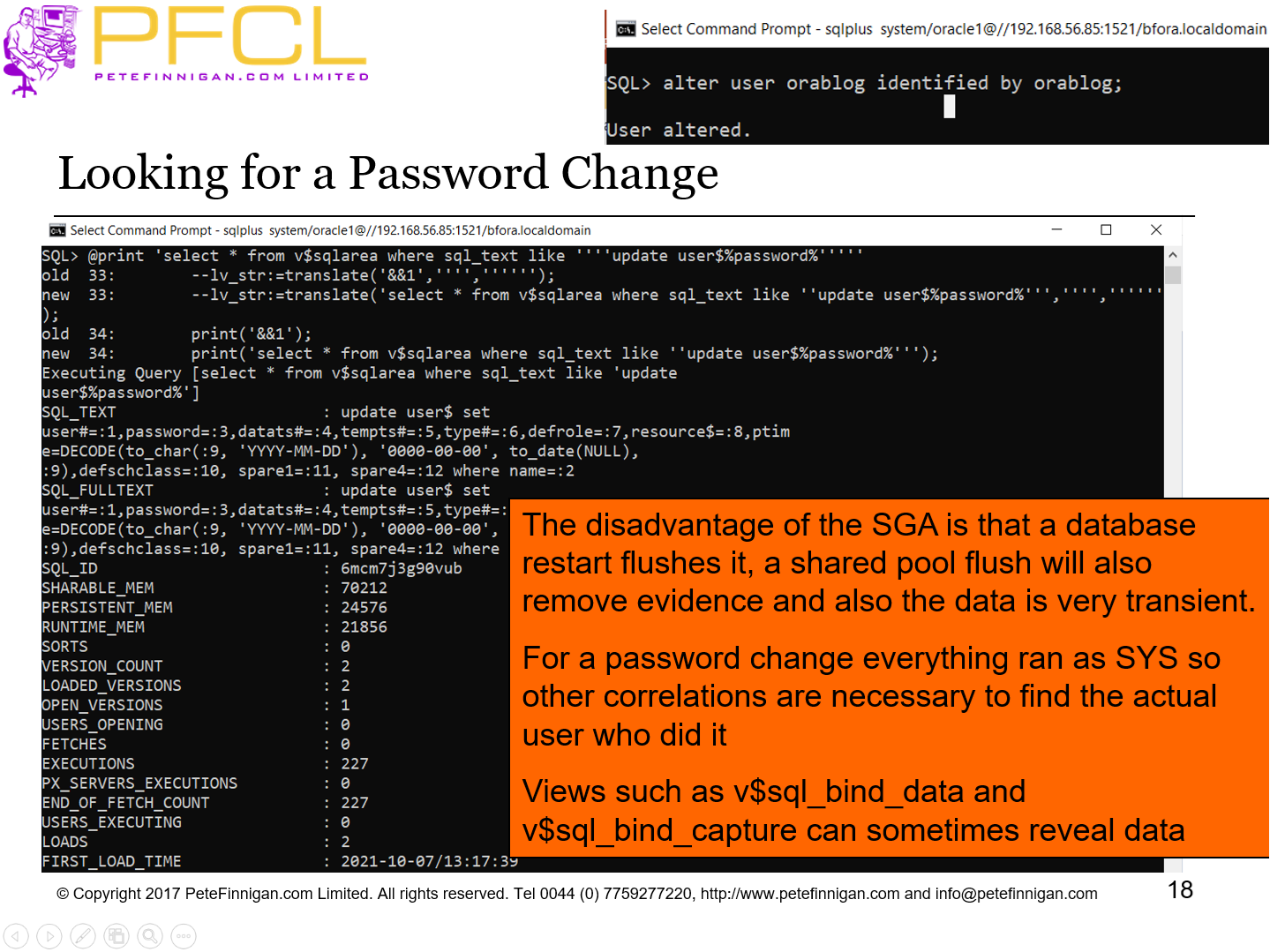
The disadvantage of the SGA is that a database restart flushes it, a shared pool flush will also remove evidence and also the data is very transient. For a password change everything ran as SYS so other correlations are necessary to find the actual user who did it Views such as v$sql_bind_data and v$sql_bind_capture can sometimes reveal data
- Slide 19 - Data Gathering From AUD$
-
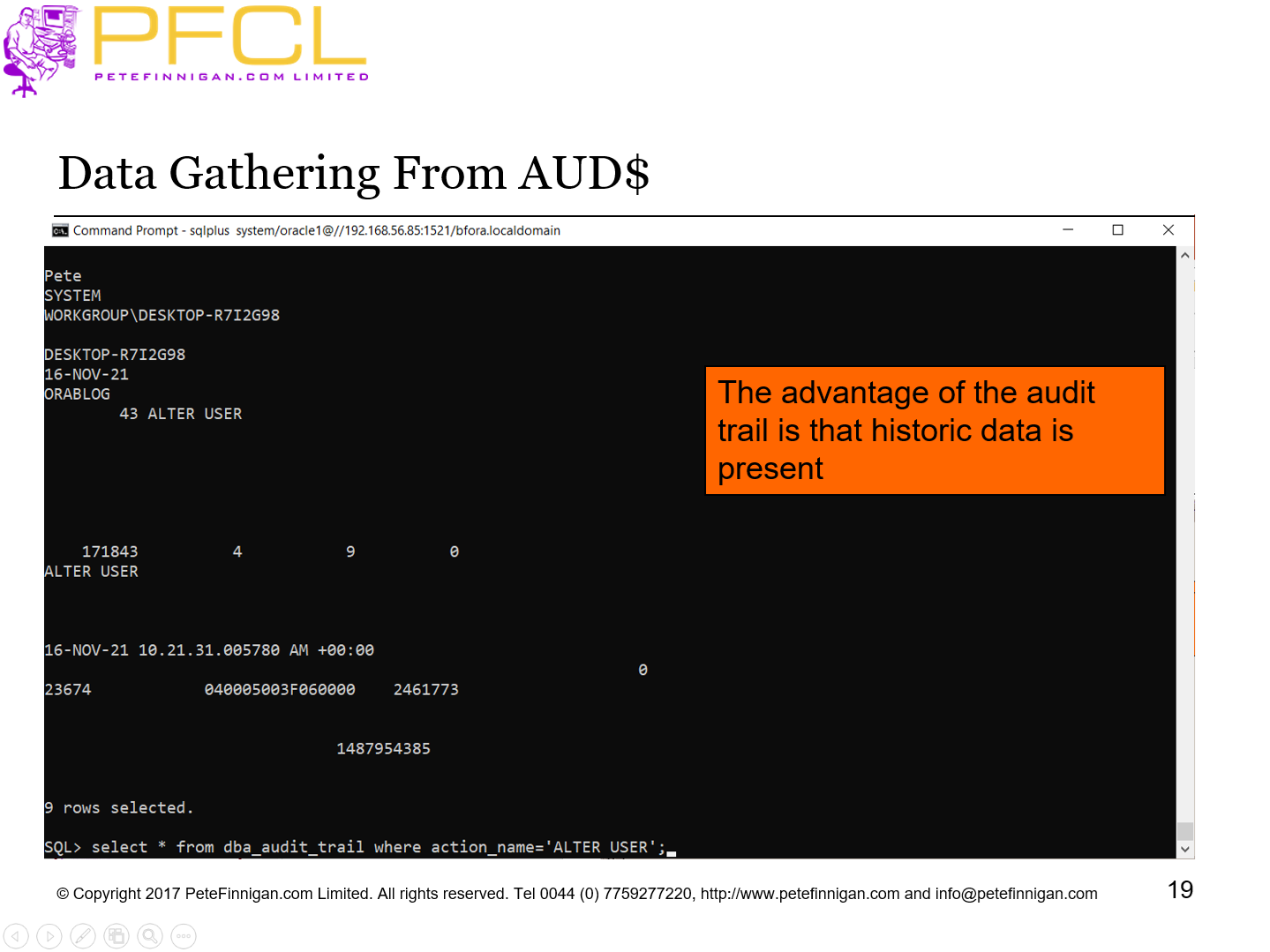
The advantage of the audit trail is that historic data is present
- Slide 20 - Audit Trail Example
-
- If an audit trail exists then this can provide the best evidence
- Check for SYS.AUD$ or core audit to OS
- Check for SYS.FGA_LOG$
- Check for Triggers and shadow tables
- Test for who/when (E-Business Suite supports this)
- Don’t depend on audit though as it may have been altered! (you need to prove it is valid)
- Detect possible data changes first
- Look for gaps
- Correlate the audit trail (time, rowid, session, access and change to the audit trail itself – audit on audit)
- Slide 21 - Correlation
-
- Use correlation in two ways
- If you have one piece of evidence look for others with matching values (could be time, address, sql_hash, scn, xid …)
- If you don’t know what to search for, i.e. you have been hacked but not sure how but know the time period; use the timestamp to locate all correlated evidence.
- Use timestamps on objects, redo (Log Mining) and more within the database
- Correlate time based evidence with external sources (oracle) such as listener.log, sql*net logs, sysdba trace, OS evidence and more
- Correlate user information with OS logs, client PC logs, firewalls, personal firewalls, web server logs
- Slide 22 - Timestamps
-
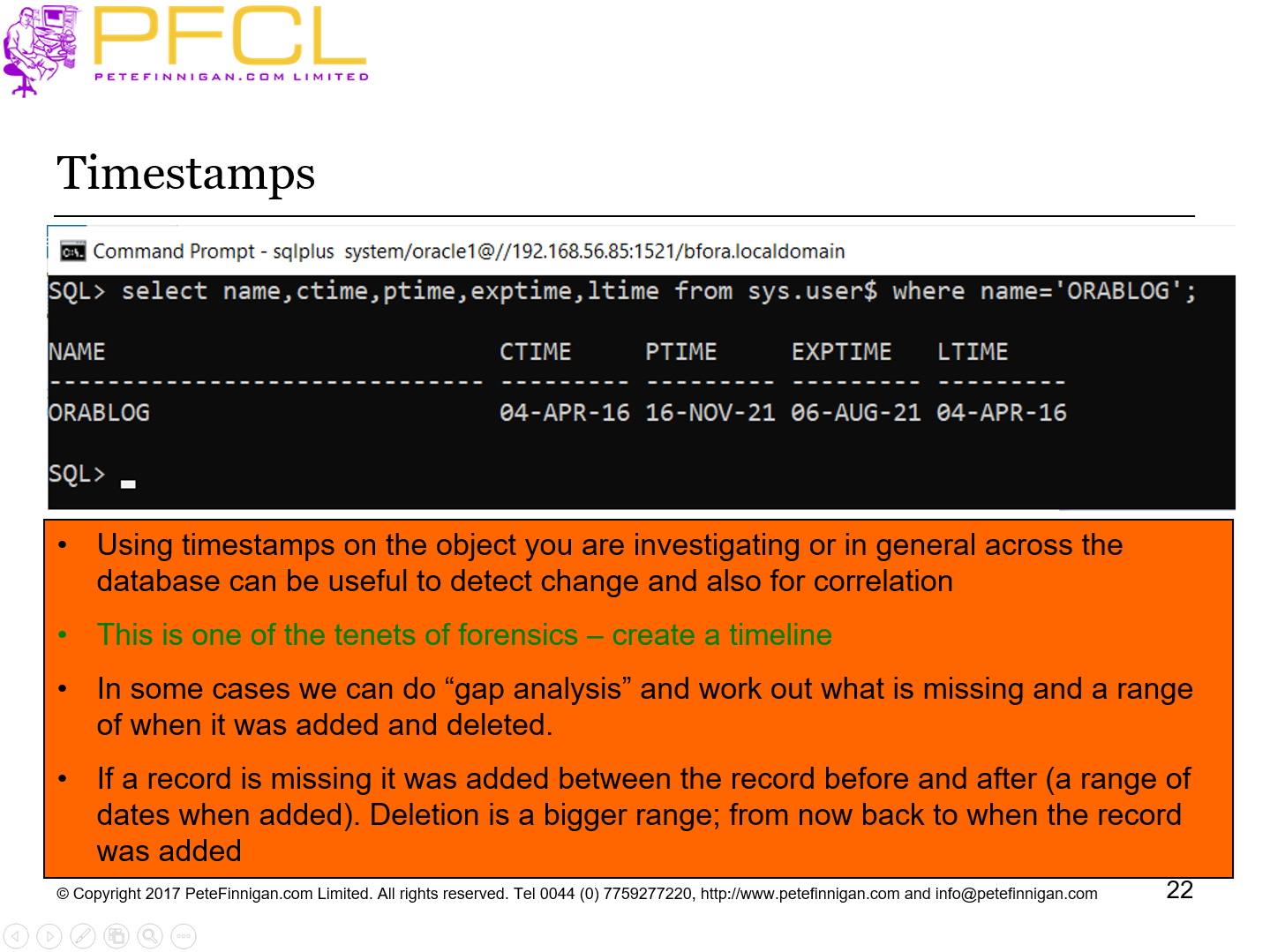
Timestamps
- Slide 23 - Forensic Analysis
-
Forensic Analysis
- Slide 24 - What is Forensic Analysis?
-
- The process of reviewing the gathered evidence and artefacts and looking to confirm or answer questions
- Was there a breach?
- How did they get in?
- Who did they get in as?
- What did they do
- Did they change anything? – i.e. can be still rely on the data
- What could they have done with more skills?
- Slide 25 - Build a Timeline
-
- Build a timeline of events that are part of the attack
- Correlate based on time and other factors
- Pull in supporting evidence based on other factors
- Take checksums of the gathered data to prove the data being worked on has not changed
- Focus to identify whether other systems are involved
- Correlate across other systems that may have been involved
- Do live response on these systems
- Use the evidence in the complete forensics analysis
- Slide 26 - An Example
-
An Example
- Slide 27 - A Real Life Example From The Trenches
-
- A customer said “data has been deleted, we want to know who did it and when”
- Task is to find out who deleted data
- It is an old 9i database
- No audit trail available for data that was deleted
- Redo log analysis possible but time consuming and costly – write programs
- Many archive logs don’t exist so unless the attack was very recent redo mining won’t work also
- Slide 28 - A Real Life Example From The Trenches (2)
-
- Undocumented block analysis might show the deleted data but not who did it or when
- If the attack was via an application; i.e. not an attack – i.e. user abuse; maybe we can use application logs, web logs, etc
- If we can establish the date/time of the attack then maybe correlation is possible
- Supporting evidence such as SGA (if recent) or library cache (if not flushed) or maybe tools logs or data (Quest etc)
- Slide 29 - What to do next?
-
What to do next?
- Slide 30 - Introduction
-
- Be realistic
- Most Oracle databases are not super locked down
- You cannot always trust your staff, even those with elevated credentials
- You have to assume it’s a matter of “when” not “if” you will be attacked
- This means you must be prepared
- You must know how to understand if you have been breached
- You must know how to respond to an incident
- Forensic analysis is very important to understand how an attacked played out even if you do not do the analysis himself
- Slide 31 - Planning Data Security
-
- Preparing for an attack doesn’t mean that you want to be attacked
- It just means in advance that you accept it’s a possibility
- Adding security and lock down to your Oracle database costs money but it may cost even more if you are breached
- Instead of complete lock down a simple first step is to implement a comprehensive audit trail
- This would be very useful and would aid detection of an attack
- In this way you would be able to react to an attack more quickly and potentially block the attack
- Having a comprehensive audit trail will also aid the forensic analysis process greatly
- Slide 32 - Current State of People Databases
-
- My experience of auditing and securing Oracle is full of head scratching and consternation at the lack of any decent levels of security
- I find customers databases wide open
- Often there is a push to get live, to achieve SLAs and application functionality and performance
- Security is usually ignored till after go-live …. and then left
- No effort is made to secure data
- Usually applications are designed to use built in rights such as DBA and are designed with a lack of data access granularity
- Slide 33 - Planning To Secure The Database
-
- The steps should include:
- Perform a detailed security audit to understand the current security state
- Learn as much as possible about a key live production database
- Use the audit information and of course existing security policies
- Create an Oracle database security policy
- Create new databases secure from now
- Lock down all existing databases to this standard
- Slide 34 - Develop a Plan
-
- Develop a plan to include
- Security patching (10%)
- Patches should be applied consistently
- Hardening (30%)
- Important component of securing Oracle
- Remove access to dictionary objects, parameters and add profiles etc
- Design (60%)
- Design work is complex
- Data access controls
- User rights
- Contest based security
- Network controls and more
- Slide 35 - Develop Sophisticated Audit Trails
-
- The key message from any Oracle Incident response and forensics engagement is that it would have been much easier with a sophisticated audit trail
- It is impossible to go back and add audit for an attack that has happened already
- It does make sense to add audit trails so that if there is an attack the right audit exists
- An audit trail must be designed and not ad-hoc
- Must be based on “I want to know” questions
- Should capture actions that should not occur
- Slide 36 - Create Audit Events
-
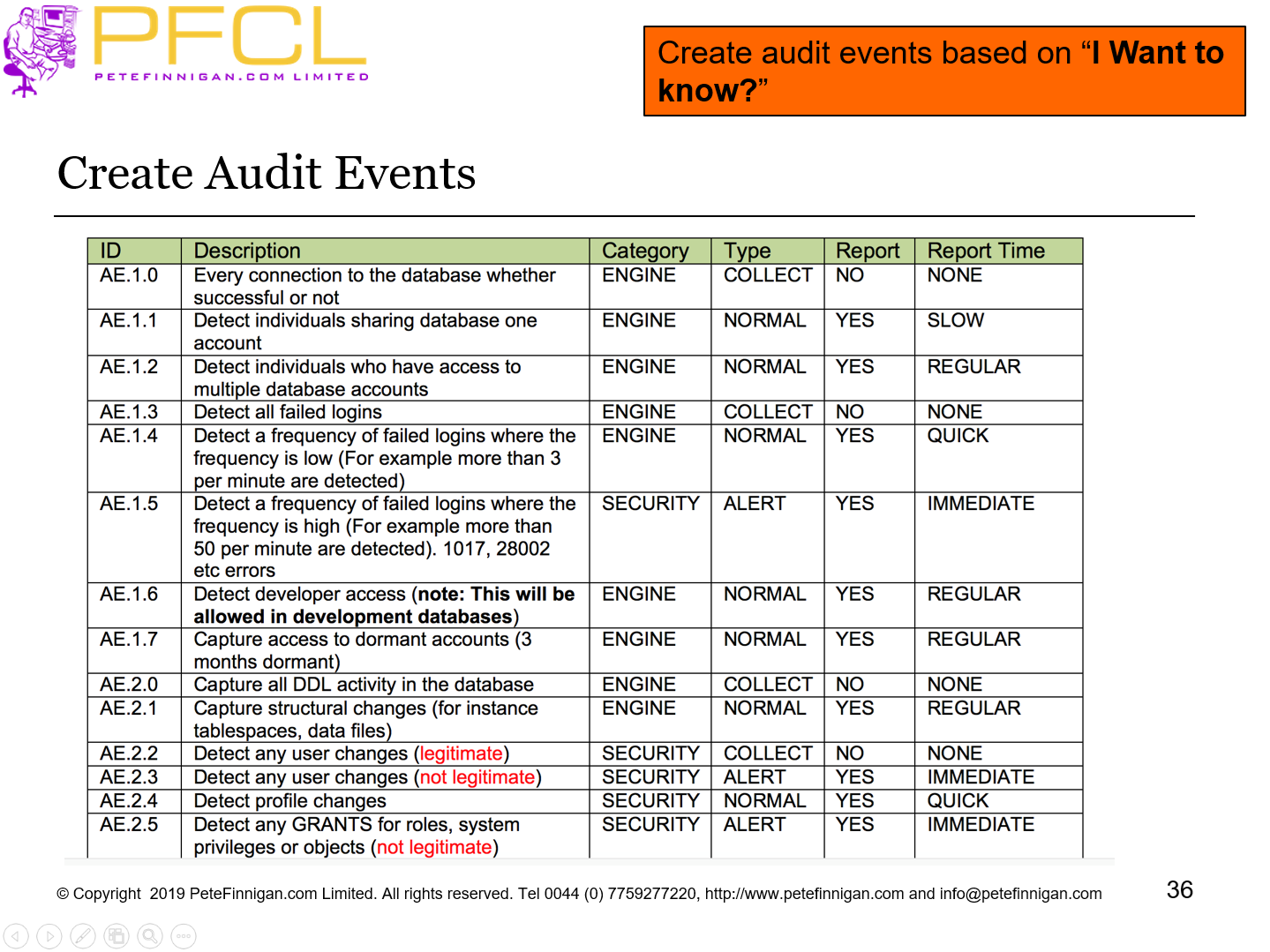
Create audit events based on “I Want to know?”
- Slide 37 - Conclusions
-
- Understand when an incident has occurred
- Create a team to deal with incidents
- Step-by-step approach should be used to investigate
- Gather the most transient data first
- Perform analysis on a copy of data
- Slide 38 - Oracle Incident Response and Forensics
-
What to do first, next and last